How to Post to the Bluesky API in 2026
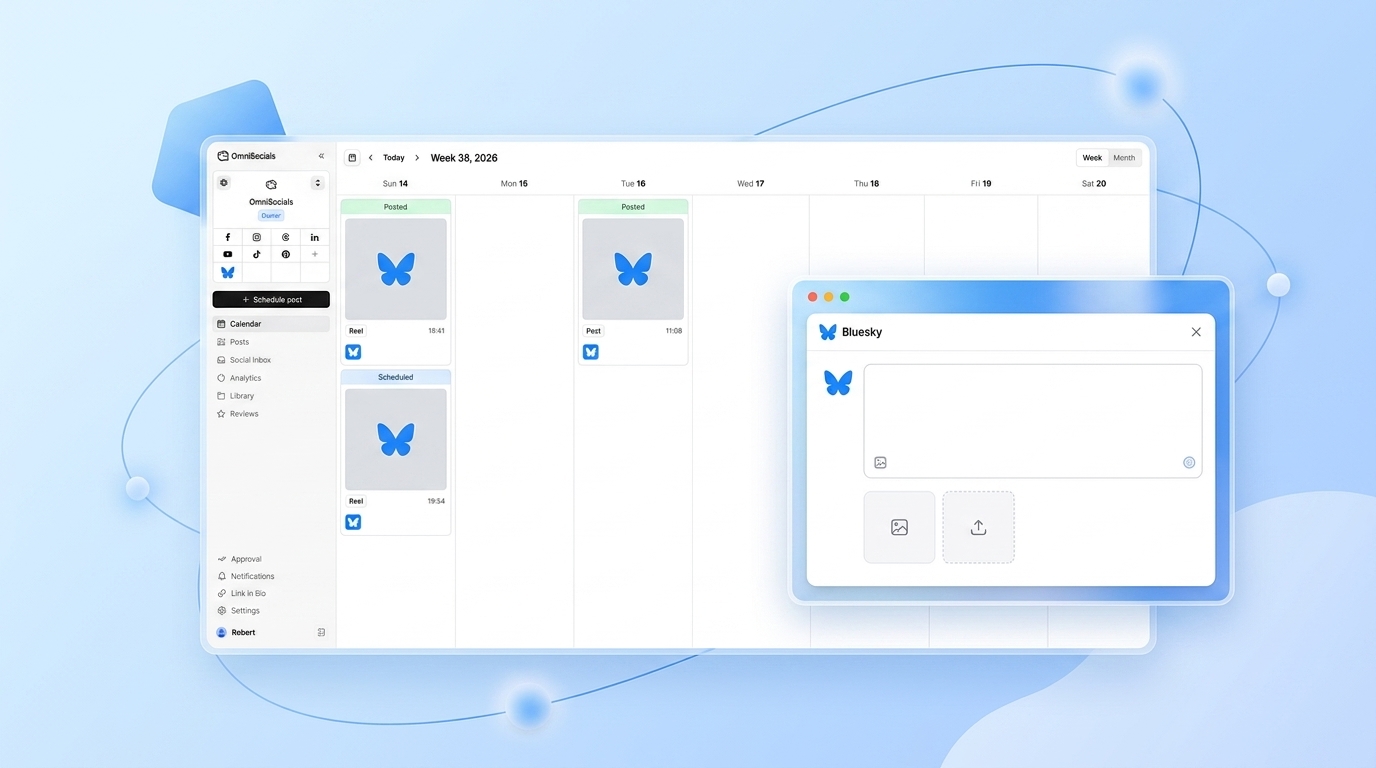
Bluesky is growing fast. It crossed 30 million users in early 2026 and the developer ecosystem around the AT Protocol is one of the most active in social media right now. If you want to post to Bluesky programmatically, you have two options: learn the AT Protocol directly (complex, low-level, verbose) or use the OmniSocials API (one request, done).
This tutorial covers both. I'll show you the native approach briefly so you understand what's happening under the hood, then walk through how to post to Bluesky using the OmniSocials API with JavaScript and Python examples.
What is the Bluesky API?
The Bluesky API is built on the AT Protocol (Authenticated Transfer Protocol), an open decentralized social protocol. Unlike Twitter's API or LinkedIn's API, there is no traditional REST API with a single endpoint. Instead, you interact with a Personal Data Server (PDS) using lexicon-typed method calls.
In practice, posting a single text update to Bluesky via the native AT Protocol looks like this:
- Authenticate with
com.atproto.server.createSessionusing an app password - Receive a session token (JWT)
- Call
com.atproto.repo.createRecordwith a fully typed lexicon record (app.bsky.feed.post) - Include a
createdAttimestamp in ISO 8601 format - Handle PDS-specific base URLs per user account
That is five steps before you have posted a single sentence. And that is without images.
With the OmniSocials API, it is one POST request.
How to Post to Bluesky Using the OmniSocials API
The OmniSocials API wraps the AT Protocol into the same unified endpoint you would use to post to Instagram, LinkedIn, or any other platform. One API key, one endpoint, one request.
Here is what you need to get started.
Step 1: Get Your API Key
Sign up at omnisocials.com and start your free 14-day trial.
From the dashboard:
- Go to Settings > Social Accounts and connect your Bluesky account
- Go to Settings > API and copy your API key
That API key is all you need. No app passwords, no PDS URLs, no session tokens to manage.
Step 2: Make the API Call
Send a POST request to https://api.omnisocials.com/v1/posts with your text and bluesky in the platforms array.
JavaScript (fetch):
const response = await fetch('https://api.omnisocials.com/v1/posts', {
  method: 'POST',
  headers: {
    'Authorization': 'Bearer YOUR_API_KEY',
    'Content-Type': 'application/json',
  },
  body: JSON.stringify({
    text: 'Just shipped something new. Check it out.',
    platforms: ['bluesky'],
  }),
});

const { data } = await response.json();
console.log(data);
// { id: "post_xyz789", status: "published", platforms: { bluesky: "published" } }
Python (requests):
import requests

response = requests.post(
    'https://api.omnisocials.com/v1/posts',
    headers={'Authorization': 'Bearer YOUR_API_KEY'},
    json={
        'text': 'Just shipped something new. Check it out.',
        'platforms': ['bluesky'],
    }
)

data = response.json()['data']
print(data)
# {'id': 'post_xyz789', 'status': 'published', 'platforms': {'bluesky': 'published'}}
Both examples post immediately. The response includes the post ID and platform-level confirmation.
Step 3: Handle the Response
The API returns three things you care about:
id— your OmniSocials post ID, use this to retrieve or delete the post laterstatus— overall status (published,scheduled,failed)platforms— per-platform status object, so you can confirm Bluesky specifically
If platforms.bluesky returns "failed", check the errors field in the response for the reason. Common causes are a disconnected account or a post that exceeds Bluesky's 300-character limit.
Posting with Images
Bluesky supports up to 4 images per post. Using the native AT Protocol, you would need to upload each image as a blob via com.atproto.repo.uploadBlob, get back a blob reference, and attach it to the post record manually.
With OmniSocials, pass the image URLs in a media array:
const response = await fetch('https://api.omnisocials.com/v1/posts', {
  method: 'POST',
  headers: {
    'Authorization': 'Bearer YOUR_API_KEY',
    'Content-Type': 'application/json',
  },
  body: JSON.stringify({
    text: 'New feature screenshot:',
    platforms: ['bluesky'],
    media: ['https://yourcdn.com/screenshot.png'],
  }),
});
The OmniSocials API uploads the image, resizes it to Bluesky's requirements, and attaches it to the post record automatically.
Scheduling Bluesky Posts
Bluesky's native AT Protocol has no scheduling. If you want to publish at a specific time, you build that queuing logic yourself.
With the OmniSocials API, add scheduled_at with an ISO 8601 timestamp:
body: JSON.stringify({
  text: 'Our weekly update is live.',
  platforms: ['bluesky'],
  scheduled_at: '2026-04-07T09:00:00Z',
}),
The post queues and publishes automatically. You can list, edit, or cancel scheduled posts via the /v1/posts GET endpoint.
Posting to Bluesky and Other Platforms Simultaneously
This is where the OmniSocials API becomes genuinely useful for multi-platform distribution. One request, multiple platforms:
body: JSON.stringify({
  text: 'Announcing our April update.',
  platforms: ['bluesky', 'linkedin', 'mastodon', 'threads'],
  media: ['https://yourcdn.com/announcement.png'],
  scheduled_at: '2026-04-07T10:00:00Z',
}),
The AT Protocol, Instagram Graph API, LinkedIn API, and Mastodon API each have completely different auth flows, media upload requirements, and payload formats. The OmniSocials API handles all of that. You write one request.
[Screenshot: OmniSocials post editor showing a post queued for Bluesky, LinkedIn, Mastodon, and Threads]
Native AT Protocol vs OmniSocials API: Side by Side
Here is what posting a text update with one image looks like on each approach:
| Step | Native AT Protocol | OmniSocials API |
|---|---|---|
| Auth | Create session with app password, store JWT | Use your API key in the header |
| Image upload | com.atproto.repo.uploadBlob, store blob ref | Pass image URL in media array |
| Create post | com.atproto.repo.createRecord with typed lexicon | POST to /v1/posts |
| Scheduling | Build your own queue | scheduled_at field |
| Multi-platform | Repeat entire flow per platform | Add platforms to array |
| Total requests | 4-6 | 1 |
The AT Protocol is well-documented and worth understanding if you are building something deeply integrated with the Bluesky ecosystem. For most use cases, posting content from an app or automation, the OmniSocials API is the practical choice.
Common Pitfalls
Character limits. Bluesky allows 300 characters per post. If your text exceeds this, the OmniSocials API will return a validation error before attempting to publish. Check the errors field.
Account disconnection. Bluesky app passwords expire or get revoked if you change your account password. If posts start failing with a 401 from the platform layer, reconnect your Bluesky account in the OmniSocials dashboard.
Image format restrictions. Bluesky supports JPEG, PNG, and WebP. GIFs are not supported as animated images. The OmniSocials API will convert unsupported formats where possible, but it is better to send the right format from the start.
Rate limits. The OmniSocials API allows 100 requests per minute per API key. Bluesky itself has rate limits on the PDS level, but the OmniSocials API handles retry logic for transient failures automatically.
Handle the failed status. Do not assume a 200 HTTP response means the post published. Check platforms.bluesky in the response. A 200 from the OmniSocials API means the request was accepted, not necessarily that Bluesky published it successfully.
Full API Reference
The full OmniSocials API documentation is at docs.omnisocials.com. It covers all endpoints, authentication, webhook setup, error codes, and platform-specific notes including Bluesky character limits and supported media types.
Frequently Asked Questions
Does Bluesky have a public API?
Yes. Bluesky is built on the AT Protocol, which is fully open and documented at docs.bsky.app. However, posting directly requires managing auth sessions, lexicon record types, and DID resolution yourself. The OmniSocials API abstracts all of that into a single authenticated request.
Do I need an app password to post to Bluesky via API?
When using the AT Protocol directly, yes. You generate an app password in Bluesky settings and use it to create a session token via com.atproto.server.createSession. With the OmniSocials API, you connect your Bluesky account once in the dashboard and then use your OmniSocials API key for everything.
Can I schedule posts to Bluesky via API?
Yes. Add a scheduled_at field to your OmniSocials API request with an ISO 8601 timestamp. The post will queue and publish automatically at that time. Bluesky's native AT Protocol has no built-in scheduling, so you would need to build that logic yourself.
Can I post images to Bluesky via API?
Yes. With the OmniSocials API, include a media array with your image URLs. The API handles the upload and blob attachment for you. Using the native AT Protocol, you would need to upload the image to the PDS via com.atproto.repo.uploadBlob first, then attach the blob reference manually to the post record.
How much does it cost to use the Bluesky API through OmniSocials?
OmniSocials costs $10/mo (annual) or $12/mo monthly. API access is included in every plan with no separate API tier or per-request pricing. You get up to 100 API requests per minute and access to all 11 supported platforms including Bluesky, Threads, and Mastodon.
Sources
- AT Protocol Documentation — Official specification for the Authenticated Transfer Protocol that powers Bluesky
- Bluesky Developer Docs — Bluesky-specific lexicons, API methods, and app password guide
- Bluesky Milestone: 30M Users — Bluesky's official announcement of user growth milestones
- OmniSocials API Reference — Full endpoint documentation, authentication, and platform-specific notes
- AT Protocol GitHub — Open source AT Protocol implementation maintained by Bluesky PBC