 vs
vs
Looking for a Loomly Alternative?
Loomly is known for approval workflows but charges $42/mo to get started. OmniSocials includes approval workflows and more platforms at 76% less cost.
OmniSocials$10/moLoomly$42/mo OmniSocialsLoomly
* Loomly Base plan pricing as of 2024. Prices may vary.
Why switch from Loomly?
Save 76%
Pay $10/mo instead of $42/mo. That's over $380 saved per year.
More Platforms
Get Bluesky, Mastodon, and Threads support that Loomly doesn't offer.
Approval Workflows Included
OmniSocials includes the same approval workflows Loomly is known for, at a fraction of the price.
No Overpaying for Basics
Loomly charges $42/mo for features that OmniSocials includes at $10/mo. Stop overpaying for scheduling and calendars.
AI-Ready
Connect Claude, ChatGPT, or any AI assistant to manage your social media through natural conversation. No other tool offers this.
Common Loomly frustrations
Feature Deep Dive: OmniSocials vs Loomly
Post Scheduling
Unlimited scheduling across 11 platforms including Bluesky, Mastodon, and Threads. Modern interface with visual calendar.
Loomly offers solid scheduling with a clean calendar interface and content suggestions. Lacks support for Bluesky, Mastodon, and Threads.
OmniSocials supports more platforms than Loomly at 76% less cost.
Analytics & Reporting
Full analytics included on every plan. Track performance across all platforms with unified reporting.
Loomly includes analytics and post-level performance tracking. Advanced analytics require higher-tier plans.
OmniSocials provides comprehensive analytics at a fraction of Loomly's $42/mo starting price.
Team Collaboration
Team collaboration and approval workflows included from day one. Modern approval process with role-based permissions.
Loomly is known for its approval workflows and content collaboration features. This is its strongest differentiator.
OmniSocials matches Loomly's approval workflow capabilities at 76% less cost.
Pricing & Value
All features at $10/mo. Unlimited posts, 11 platforms, analytics, and team features. No per-user fees.
Loomly starts at $42/mo for the Base plan with 2 users. Adding more users and advanced features costs significantly more.
OmniSocials delivers Loomly's core value at $10/mo instead of $42/mo, a 76% savings.
Supported Platforms













Use any agent





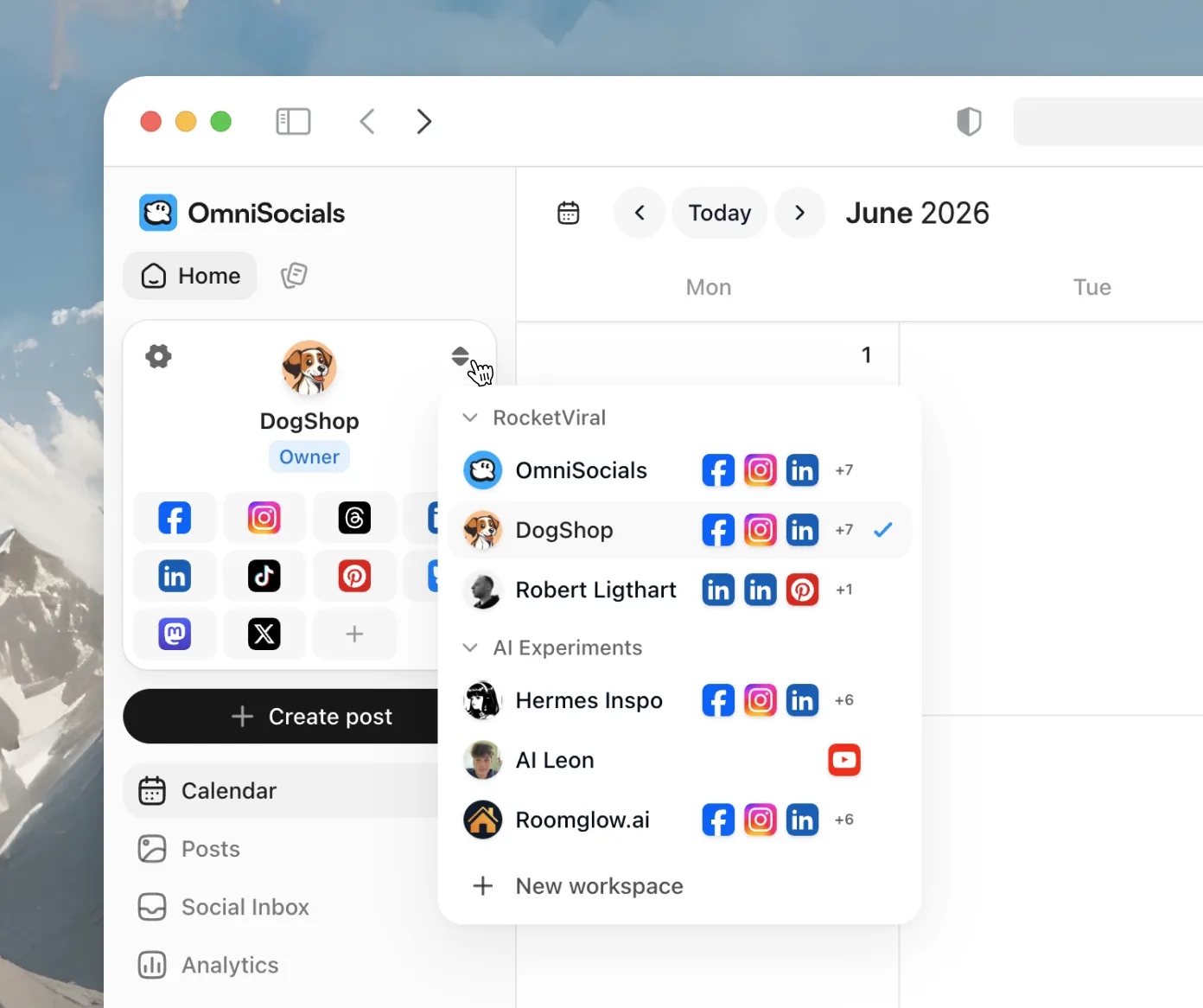
Manage as many social channels as you want
Spin up a separate workspace for every brand or client, each with its own channels, calendar, and team. Switch between them in a single click.
We charge $10 per month annually per workspace
Track your performance
Once you have scheduled posts got posted, you can track your performance and see how it performed on each platform. Tracking your followers, what are your top performing posts.


Switching from Loomly is Easy
Sign Up Free
Create your OmniSocials account in 30 seconds.
Connect Your Accounts
Link all your social media profiles and invite your team members to the new workspace.
Rebuild Your Calendar
Set up your content calendar, recreate approval workflows, and import your media library into OmniSocials.
Cancel Loomly
Once your team's calendar and workflows are fully operational, cancel your Loomly subscription.
What Transfers
- All connected social media accounts
- Scheduled and drafted posts
- Media library assets and brand files
- Team member accounts and calendars
What You'll Reconfigure
- Approval workflows and notification settings
- Post ideas and content inspiration feeds
- Calendar labels and organization system
Support We Provide
- Free onboarding call for your entire team
- Help recreating approval workflows and permissions
- Assistance importing your media library and brand assets
- Priority support for your first 30 days
Switch to OmniSocials today
Everything Loomly does, plus unlimited posts, more platforms, and AI-agent control via MCP. One flat $10/mo.
Everything you need to start:
- Unlimited scheduled posts
- Unified social inbox
- Basic analytics
- Schedule posts, stories & reels
- Invite colleagues and or clients to collaborate
- Public API & MCP server access
- 24/5 Support
Need more accounts or team features? View all plans →
Frequently asked questions
Can't find your question answered?
Reach out to support
