7 Best Loomly Alternatives in 2026 (More Features, Less Cost)

Loomly is a well-built content calendar. The approval workflows are clean, the post builder walks you through each step, and the interface is easy to learn. I'll give it that.
But once you look past the content calendar, the gaps start showing. No social inbox. Limited analytics. Per-user pricing that jumps from $26/mo to $59/mo the moment you add a third team member. And platform support that doesn't cover newer networks like Mastodon or Bluesky.
I've spent time testing 7 Loomly alternatives that address these weak spots, comparing each on pricing, platform coverage, analytics, inbox features, and collaboration tools. If you're looking for a loomly alternative that gives you more for less, this list covers the options worth considering.
Why People Switch from Loomly
Loomly's per-user pricing is the biggest reason people leave. The content calendar is good. The economics of scaling a team on it are not.
Here's what drives the switch.
Per-user pricing escalates fast. Loomly's Base plan is $26/mo for 2 users and 10 social accounts. Need a third user? You jump to the Standard plan at $59/mo. A team of 5 requires the Advanced plan at $129/mo. For comparison, several tools on this list give you unlimited users or include 3-5 team members in their base plan for under $30/mo.
No social inbox. Loomly focuses on content creation and scheduling. It does not offer a unified inbox for managing comments, DMs, and mentions across platforms. If engagement is part of your daily workflow, you're forced to manage replies platform by platform or pay for a separate tool.
Analytics are limited. Loomly provides basic post performance metrics, but the reporting lacks the depth you'll find in tools like SocialBee or Sendible. Cross-channel analytics, exportable reports, and competitive benchmarking are either missing or locked behind higher tiers.
The UI is solid but not best-in-class. Loomly's interface is clean and functional. But compared to newer tools that offer visual post previews, drag-and-drop calendars with real platform rendering, and per-platform content customization, it feels a step behind.
Quick Comparison: All 7 Loomly Alternatives
| Tool | Starting Price | Pricing Model | Social Profiles | Social Inbox | Best For |
|---|---|---|---|---|---|
| OmniSocials | $10/mo | Flat rate | 11 platforms | Yes | Best overall value |
| Buffer | Free / $5/ch | Per channel | 8 platforms | No | Simple scheduling |
| Planable | $33/mo | Per workspace | 8 platforms | No | Content approval |
| SocialBee | $29/mo | Flat rate | 9 platforms | No | Content automation |
| Sendible | $25/mo | Flat rate | 6 profiles | Yes | Agencies |
| Pallyy | $13.50/mo | Per social set | 8+ platforms | Yes | Visual creators |
| Publer | $12/mo | Per account | 9+ platforms | No | Budget-friendly |
Now let's get into the details.
1. OmniSocials: Best Overall Loomly Alternative
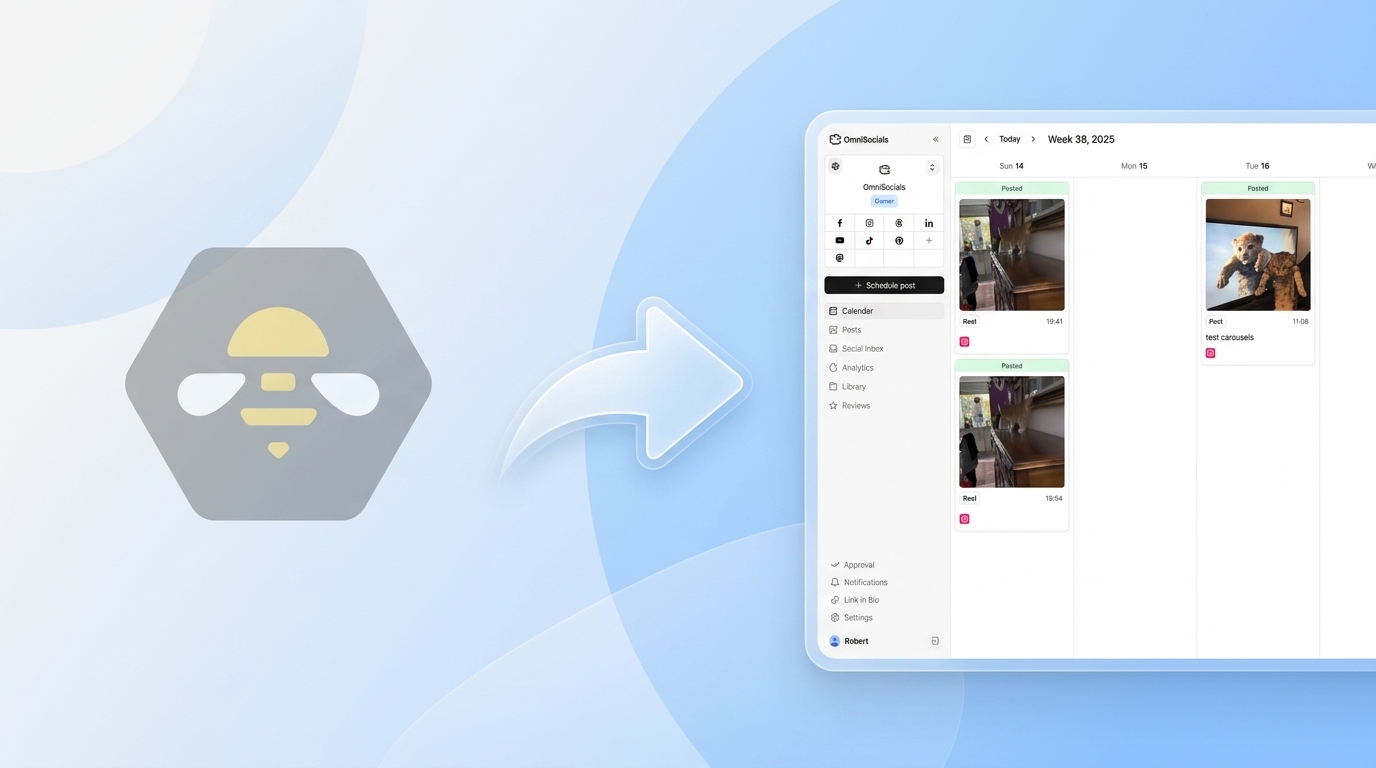
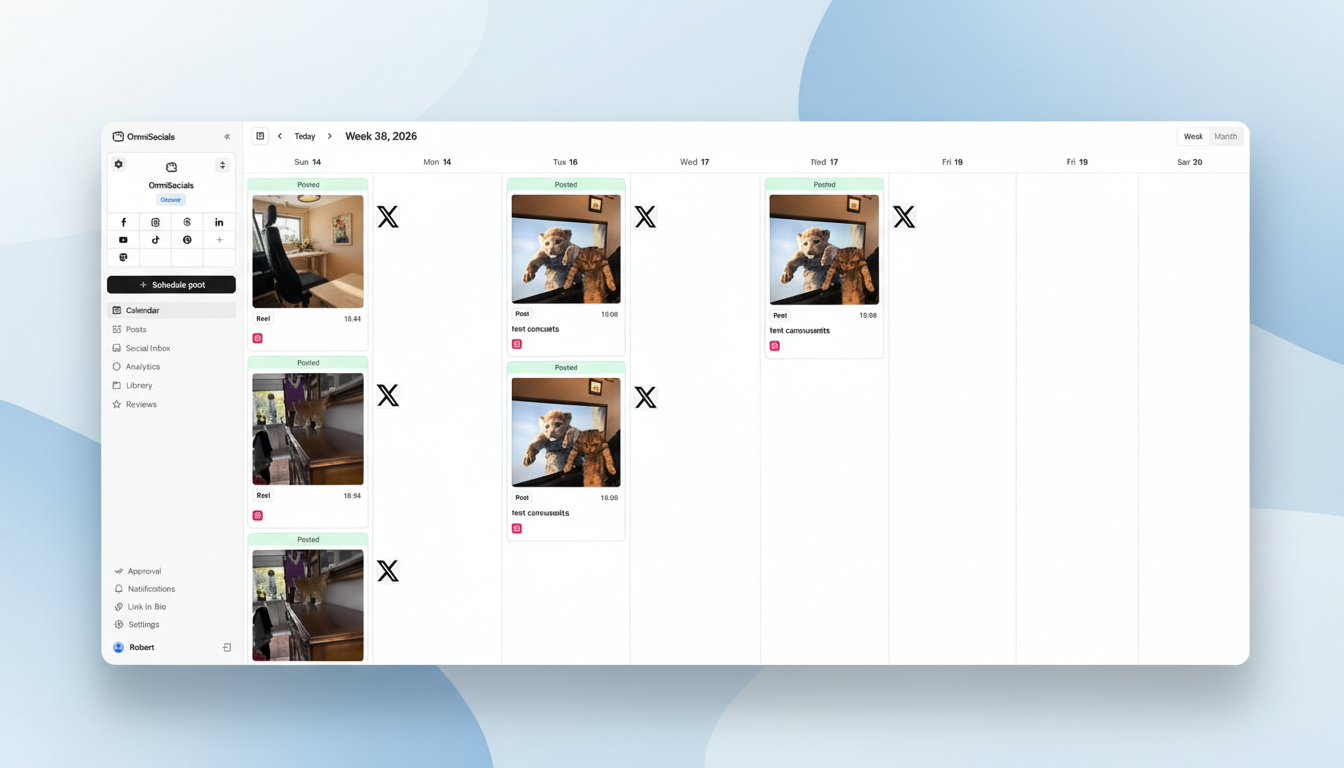
[Screenshot: OmniSocials dashboard with visual post editor and multi-platform preview]
OmniSocials is the best Loomly alternative if you want more platforms, a social inbox, and pricing that doesn't spike when your team grows.
At $10/mo flat (annual billing) or $12/mo monthly, you get access to 11 platforms: Instagram, Facebook, LinkedIn, YouTube, TikTok, X, Pinterest, Bluesky, Threads, Mastodon, and Google Business Profile. That's 11 platforms versus Loomly's support for the major networks without Mastodon, Bluesky, or Google Business Profile.
The math is straightforward. Loomly's Base plan costs $26/mo for 2 users and 10 accounts. OmniSocials costs $10/mo for 1 user with all 11 platforms, and extra team members are $10/mo each. Two users on OmniSocials: $20/mo. Two users on Loomly: $26/mo. The savings get bigger as you scale, and OmniSocials includes features Loomly doesn't have at any price.
The unified social inbox is the standout difference. You can manage DMs, comments, and mentions from every connected platform in one place. Loomly doesn't offer this. If replying to your audience is part of your workflow, this alone justifies switching.
The visual post editor lets you customize content for each platform from a single screen, with real previews of how your post will look on Instagram vs. LinkedIn vs. Bluesky. Loomly's post builder is guided and structured, but OmniSocials gives you more control over per-platform variations.
Key features:
- 11 platforms from one dashboard with unlimited scheduling
- Visual post editor with per-platform customization and preview
- Unified social inbox for DMs and comments across all platforms
- Media library with Pexels and Unsplash built in
- Approval workflows for team and client review
- Thread scheduling for Bluesky, X, and Threads
Pros:
- Flat pricing that doesn't penalize you for adding channels or users
- Supports platforms Loomly doesn't (Mastodon, Bluesky, Google Business Profile)
- Social inbox included at no extra cost
- Clean, modern interface that's easy to pick up
Cons:
- Newer platform, so fewer third-party integrations than established tools
- Analytics are solid but not as deep as Sprout Social or Sendible
- No content recycling features like SocialBee
Pricing: $10/mo (annual) or $12/mo (monthly). Extra users $10/mo. 14-day free trial.
Verdict: OmniSocials addresses Loomly's three biggest gaps: no social inbox, limited platform support, and escalating pricing. It's 60% cheaper than Loomly for a solo user and the savings grow with each team member you add.
Want to test it? Try OmniSocials free for 14 days. Connect all 11 platforms in under 5 minutes.
2. Buffer: Best Simple Loomly Alternative
[Screenshot: Buffer queue view with clean scheduling interface]
Buffer is the best Loomly alternative if you care most about simplicity and don't need a social inbox or deep analytics.
Buffer's free plan gives you 3 channels with 10 scheduled posts each. That's enough to test whether the tool fits your workflow. The paid Essentials plan starts at $5/channel/month with unlimited scheduling, basic analytics, and engagement tools.
Where Buffer wins over Loomly: the interface. Buffer is one of the cleanest scheduling tools available. There's no learning curve. You write a post, pick your channels, schedule it, and move on. Loomly's post builder is more guided (it walks you through optimization tips), but Buffer's simplicity appeals to people who just want to schedule and go.
Buffer also offers approval workflows on the Team plan ($10/channel/month). They're straightforward: draft, review, approve, publish. Not as feature-rich as Loomly's workflow system, but clean and functional.
Key features:
- Clean, minimal scheduling interface
- Free plan with 3 channels and 10 posts each
- Approval workflows on Team plan
- AI Assistant for post generation
- Browser extension for quick sharing
- Link-in-bio landing page tool
Pros:
- Simplest interface on this list
- Generous free plan for getting started
- Easy approval flows for small teams
- AI Assistant generates decent post variations
Cons:
- Per-channel pricing adds up fast ($5-10/channel/month)
- No social inbox for managing comments and DMs
- Analytics are basic compared to Loomly's reporting
- Limited platform support (no Mastodon, no Google Business Profile)
Pricing: Free (3 channels) / Essentials from $5/channel/mo / Team from $10/channel/mo.
Verdict: Buffer is for people who found Loomly's guided post builder to be more structure than they need. If scheduling simplicity is your priority and you don't manage more than 3-5 channels, Buffer delivers. For broader needs, check our Buffer alternative comparison for more options.
3. Planable: Best Loomly Alternative for Content Approval
[Screenshot: Planable content approval workflow with team comments and visual preview]
Planable is the best Loomly alternative if approval workflows are the reason you chose Loomly in the first place and you want something even better.
Loomly's approval system is one of its strongest features. Planable takes that concept further. Every post gets a visual preview of exactly how it will appear on each platform. Team members leave comments directly on the post, suggest edits in context, and approve or reject with one click. It works like Google Docs for social media content.
The real-time collaboration is where Planable pulls ahead. Multiple team members can edit the same post simultaneously. No more "I'll wait until you're done" back-and-forth. Comments resolve in context, and the approval chain is visible at a glance.
Starting at $33/mo for the Basic plan (1 workspace, unlimited posts), Planable is more expensive than Loomly's Base plan for a solo user. But for teams that live inside approval workflows, the collaboration features save enough time to justify the price.
Key features:
- Visual post previews for every platform
- Real-time team collaboration (Google Docs-style editing)
- Multi-level approval workflows with custom roles
- Content calendar with drag-and-drop
- Separate workspaces for different brands or clients
- Free plan with 50 total posts (no time limit)
Pros:
- Best approval workflow of any tool on this list
- Visual previews help clients see exactly what goes live
- Real-time editing eliminates review bottlenecks
- Free plan lets you test without time pressure
Cons:
- $33/workspace/mo is expensive for solo users or small teams
- Per-workspace pricing adds up for agencies with multiple clients
- Analytics and engagement features require paid add-ons
- Scheduling features are less robust than dedicated schedulers
Pricing: Free (50 total posts) / Basic from $33/workspace/mo / Pro from $59/workspace/mo.
Verdict: If you picked Loomly specifically for its approval workflows, Planable does approvals better. The collaboration tools are a genuine step up. The trade-off is a higher price and weaker scheduling and analytics compared to all-in-one tools.
4. SocialBee: Best Loomly Alternative for Content Automation
[Screenshot: SocialBee content categories with automated recycling schedule]
SocialBee is the best Loomly alternative if you want your content calendar to fill itself.
Loomly treats every post as a one-time event. You create it, schedule it, it publishes, it's done. SocialBee takes a different approach with content categories. You create buckets like "tips," "promotional," "curated," and "industry news," assign each category a schedule, and SocialBee automatically cycles through your posts. Your calendar stays full without manual rescheduling.
The AI copilot is one of the better implementations I've tested. It generates post variations, suggests content for each category, and drafts hashtag sets. Not a gimmick feature. It saves real time when you're building out a month's worth of content.
At $29/mo for the Bootstrap plan, SocialBee costs slightly more than Loomly's Base plan. But you get content recycling, AI tools, and 5 social profiles included. On Loomly, the equivalent features either don't exist or require a higher tier.
Key features:
- Content categories with automated recycling schedules
- AI copilot for post generation and content strategy
- Visual calendar with drag-and-drop
- Canva and Unsplash integrations
- RSS feed auto-posting
- Hashtag collections for quick tagging
Pros:
- Best content recycling system available
- AI copilot saves real time on content creation
- Flat pricing with no per-user fees on the base plan
- Solid analytics across all paid tiers
Cons:
- $29/mo starting price is higher than simpler tools on this list
- Interface has a steeper learning curve than Loomly or Buffer
- No social inbox for DMs and comments
- Overkill if you don't use content recycling
Pricing: From $29/mo (Bootstrap plan). 14-day free trial.
Verdict: SocialBee is the right pick if you create evergreen content and want automation that Loomly simply doesn't offer. The category-based system keeps your calendar running without constant manual input.
5. Sendible: Best Loomly Alternative for Agencies
[Screenshot: Sendible dashboard with white-label report builder and Smart Compose inbox]
Sendible is the best Loomly alternative for agencies that need white-label reporting and a dedicated inbox for client management.
Where Loomly focuses on content creation and approval, Sendible focuses on the agency workflow. White-label reports let you brand analytics with your logo and send them to clients without any Sendible branding visible. On Loomly, reporting is basic and there's no white-label option at any price tier.
The Smart Compose inbox is Sendible's unified engagement hub. Comments, mentions, and messages from connected platforms flow into a single stream. You can assign conversations to team members, add internal notes, and respond without switching tabs. This is the inbox feature that Loomly doesn't have.
Starting at $25/mo for the Creator plan (1 user, 6 social profiles), Sendible is slightly cheaper than Loomly's Base plan. The Traction plan at $76/mo adds 4 users and 24 profiles, which is where the agency value really kicks in.
Key features:
- White-label PDF and automated reports
- Smart Compose unified inbox
- Content suggestions and RSS automation
- Bulk scheduling with CSV import
- Client dashboards with separate brand management
- Integrations with Canva, Google Analytics, and Google Drive
Pros:
- White-label reporting is a real differentiator for agencies
- Social inbox is included on all plans
- Affordable starting price for what you get
- Strong integration library for agency workflows
Cons:
- Interface can feel cluttered compared to Loomly's clean design
- Platform support is narrower than OmniSocials (6 profiles on the base plan)
- Higher tiers get expensive ($76/mo for Traction, $170/mo for Scale)
- Learning curve is steeper for new users
Pricing: Creator from $25/mo (1 user, 6 profiles) / Traction from $76/mo (4 users, 24 profiles).
Verdict: Sendible is the agency play. If you manage social media for clients and need white-label reporting, a social inbox, and per-client dashboards, it covers ground that Loomly doesn't touch. Solo users will find simpler, cheaper options elsewhere on this list.
6. Pallyy: Best Visual Loomly Alternative
[Screenshot: Pallyy visual feed planner with Instagram grid preview and social inbox]
Pallyy is the best Loomly alternative for content creators who prioritize visual planning and want a social inbox at an affordable price.
Starting at $13.50/mo per social set, Pallyy gives you a visual feed planner, Instagram grid preview, social inbox, and built-in analytics. The drag-and-drop grid planner shows you exactly how your Instagram feed will look before anything publishes. For brands that care about visual consistency, this feature is a significant upgrade from Loomly's standard calendar view.
Pallyy also includes a social inbox for managing comments and DMs. At $13.50/mo, that's a social inbox at roughly half the cost of Loomly's Base plan. And Loomly doesn't have an inbox at all.
The free plan gives you 1 social set and 15 posts per month. Enough to see if the tool fits your workflow before committing.
Key features:
- Visual feed planner with Instagram grid preview
- Social inbox for comments and DMs
- Post recycling for evergreen content
- AI-powered caption generation
- Built-in analytics and reporting
- Free plan with 1 social set and 15 posts/month
Pros:
- Instagram grid preview is excellent for visual brands
- Social inbox included (Loomly doesn't have one)
- Affordable starting price at $13.50/mo
- Genuinely useful free plan
Cons:
- Per-social-set pricing means costs grow with more profiles
- Additional users cost $26.10/mo each
- Fewer platforms supported than OmniSocials or SocialBee
- Smaller community and fewer learning resources
Pricing: Free (1 social set, 15 posts/mo) / From $13.50/mo per social set.
Verdict: Pallyy is a strong pick for Instagram-focused creators who want a social inbox without paying Loomly prices. The grid preview alone makes it worth testing if visual consistency matters to your brand.
7. Publer: Best Budget Loomly Alternative
[Screenshot: Publer dashboard showing scheduled posts and bulk upload interface]
Publer is the best Loomly alternative if you want a generous free plan and low paid pricing.
Publer's free plan gives you 3 social accounts with 10 scheduled posts each, plus basic analytics and a link-in-bio tool. That's more than most free tiers offer. Loomly's 15-day trial doesn't compare to an actual free plan with no expiration.
On paid plans, Publer starts at $12/mo for the Professional tier with unlimited scheduling. The bulk upload feature lets you queue dozens of posts at once via CSV, which is useful for batch content creators who plan a month in advance. Loomly's post builder is more of a one-at-a-time workflow.
Publer also supports Google Business Profile, a platform Loomly doesn't cover. If local SEO is part of your strategy, that matters.
Key features:
- Free plan with 3 accounts and basic analytics
- Bulk scheduling via CSV upload
- Auto-scheduling with optimal time suggestions
- Link-in-bio page builder
- Watermark tool for images
- Google Business Profile support
Pros:
- Most feature-rich free plan on this list
- Affordable paid plans starting at $12/mo
- Bulk upload saves time for batch creators
- Google Business Profile support (Loomly doesn't have this)
Cons:
- Per-account pricing on paid plans can still add up
- Interface feels less polished than Loomly or OmniSocials
- Smaller platform with less community support
- Approval workflows are basic compared to Loomly or Planable
Pricing: Free (3 accounts) / Professional from $12/mo / Business from $21/mo.
Verdict: Publer is the budget pick. If Loomly's pricing pushed you to look for alternatives and you don't need advanced approval workflows, Publer gets the core scheduling job done for less. For more options in this price range, see our guide to affordable social media management tools.
Which Loomly Alternative Is Right for You?
The best choice depends on what's missing from your Loomly experience. Here's a quick framework.
If you want better value overall: OmniSocials ($10/mo for 11 platforms) gives you more platforms, a social inbox, and flat pricing. It addresses every common Loomly complaint at a lower price point.
If you want the simplest tool possible: Buffer (free/$5 per channel) strips away complexity. No content categories, no guided post builder. Just schedule and go.
If approval workflows are non-negotiable: Planable ($33/mo) is the approval specialist. It does what Loomly does well, but better. Real-time collaboration, visual previews, and multi-level approval chains.
If you need content automation: SocialBee ($29/mo) fills your calendar automatically with category-based recycling. Loomly doesn't offer anything like it.
If you run an agency: Sendible ($25/mo) covers white-label reporting, client dashboards, and a social inbox. Everything agencies need that Loomly doesn't provide.
If you focus on visual content: Pallyy ($13.50/mo) gives you an Instagram grid preview and social inbox at half the price of Loomly.
If budget is the priority: Publer ($12/mo) handles the basics with a free plan and the lowest paid pricing on this list.
Still deciding? Start a free OmniSocials trial and compare it to Loomly side by side. 14 days, all features unlocked.
Frequently Asked Questions
What is the best free alternative to Loomly?
Publer is the best free Loomly alternative. Its free plan includes 3 social accounts with 10 scheduled posts each, basic analytics, and a link-in-bio tool. Buffer also offers a free plan with 3 channels and 10 posts. OmniSocials provides a 14-day free trial with full features across 11 platforms if you want to test a complete tool before choosing a paid plan.
Does Loomly have a social inbox?
No. Loomly does not include a unified social inbox for managing comments, DMs, and mentions across platforms. If engagement management is part of your daily workflow, you need an alternative that includes one. OmniSocials, Pallyy, and Sendible all include a social inbox in their base plans without charging extra.
Why is Loomly so expensive for teams?
Loomly uses per-user pricing that escalates with each plan tier. The Base plan is $26/mo for 2 users and 10 accounts. Adding a third user requires the Standard plan at $59/mo. A 5-person team needs the Advanced plan at $129/mo. Most alternatives on this list use flat pricing or include more users in their base plans, making them significantly cheaper for teams of 3 or more.