Repost to Pinterest with Workflows
- 5 new
- 1 improved
- 5 fixed
Pinterest is now a Workflow destination. Pick a board once and every post the workflow picks up from Instagram, Facebook, TikTok, Threads, Bluesky, Mastodon or a LinkedIn Page is pinned there. Also new: LinkedIn receives your original PDF. Also fixed: links with an apostrophe now publish in full.


New
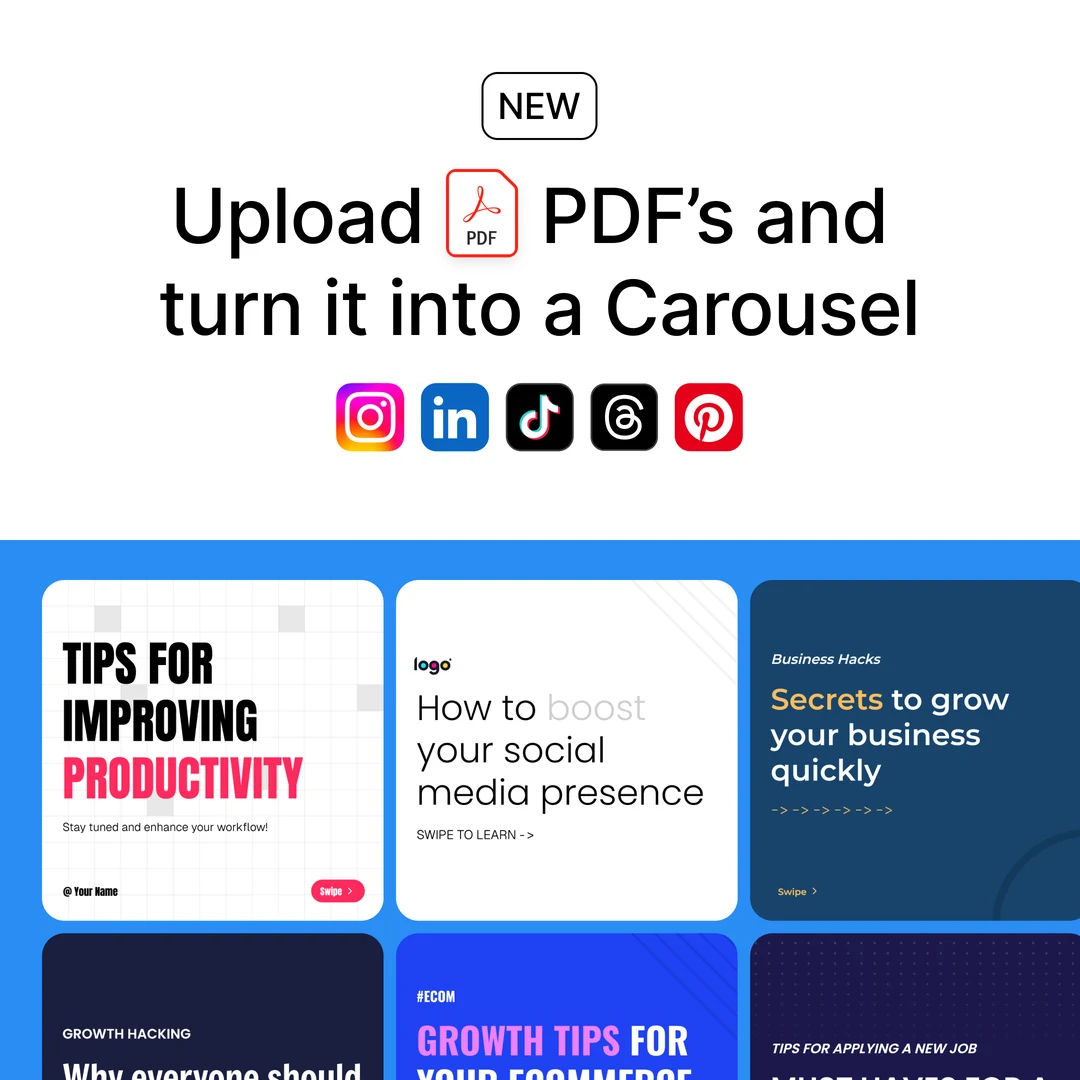
- LinkedIn receives your original PDF - when you upload a PDF, OmniSocials still turns every page into a slide for Instagram, TikTok, Threads and Pinterest, and now also keeps the file itself. Attach the slides to a LinkedIn post, in order, and LinkedIn receives that original PDF as the document instead of one rebuilt from the slide images: text stays sharp, links inside the document keep working, people who download it get the real file, and every page is included, even when the PDF has more than the 20 pages we turn into slides. The LinkedIn preview says "Original PDF" in the document's title bar, and the Carousel style picker on the images now offers three choices: Original PDF, Document carousel (rebuilt from the slides), or Image gallery. Reorder, remove or add a slide and the document is rebuilt from the slides as before.
- A PDF is one item in your library - upload a PDF and the library shows one card for it (page 1 as the thumbnail, a "PDF · 5 pages" badge, a PDFs filter next to Images and Videos) instead of one image per page. Attach it to a post and its pages become the slides on every channel, in order, while LinkedIn receives the original file. Open the card for a page-by-page preview, or use "Split into slides" when you want a single page as a normal image. Deleting the card removes the pages and the file together.
- Also in the API, MCP, CLI and SDKs - every PDF upload keeps the original (
pdf.id,pdf.name,pdf.urlin the upload response; each slide carriespdfwith its page number), and a newdocument_sourceoption on thelinkedinandlinkedin_pageobjects (original_pdf, the default, orslides) chooses what LinkedIn receives. Passpdf_mode: "document"on an upload to keep the PDF as one media item of typedocumentwhose single id inmedia_idsexpands into every page;POST /media/{id}/splitturns it into one image item per page. Full details in the API docs. - Repost to Pinterest with Workflows - Pinterest is now a destination in Workflows. Pick the board once, and every Instagram, Facebook, TikTok, Threads, Bluesky, Mastodon or LinkedIn Page post the workflow picks up is pinned there. The first line of the caption becomes the pin title, the caption becomes the description, and a video's own thumbnail becomes the pin cover. Posts without a caption are skipped with a note, because Pinterest asks for a description. YouTube shows in the destination list as "coming soon" when you have a channel connected.
- Muse joins the AI integrations - Muse, Meta's personal AI agent, now has its own page under Settings, Organisation, Integrations, a tab in the guided setup and a guide in the docs. Muse builds the connector from one chat message and signs in with your API key, which you paste in its secure prompt, never in the chat. The MCP server now also accepts an API key sent as a bearer token, as the docs already described, so any client with a token field can connect without the key in the address.
Improved
- Followers card shows new followers - next to the growth percentage the card now shows how many followers you gained or lost in the selected period, for example "279.4K +320 new ↑0.1%". The channel table and the Followers detail page already had this number.
Fixed
- A Facebook post could publish twice - when Facebook answered a publish request with an error after it had already created the post, OmniSocials sent the request again and the post appeared twice on the Page. Before it sends a publish request again, OmniSocials now checks the Page for the post it just sent and keeps that one. The same check protects Facebook feed videos.
- Facebook and Instagram account numbers were collected before the day had started - the nightly account snapshot ran minutes after midnight UTC and asked Meta for that same day. Meta fills a day's numbers as the day goes on, so the Page and Instagram account metrics on the Analytics overview (views, viewers, engagement, profile views, follows gained and lost) were stored as 0 for nearly every account, while the followers count was right. The snapshot now runs at 10:30 UTC for the completed previous day and replaces any earlier partial numbers for that day. Days before this release keep their stored values unless we re-collect them; the numbers fill in from today onwards.
- Links with an apostrophe were cut short - a web address that contains an apostrophe (for example
.../nick-cannon's-wild-'n-out-live) was read up to the apostrophe only. The link preview in the composer, the Facebook preview card and the LinkedIn article card were fetched for that shorter address, which is a different page. After publishing, the Facebook clean-up removed only the shorter part from the post text and left the rest of the address behind. The full address is now detected, previewed and published on every channel, and the Facebook clean-up only removes a link that stands on its own in the text, never the start of a longer one. - Approval workflows from any organisation's settings - the approver picker, the workflow list and Create Workflow now follow the organisation you have open in Settings, not the workspace you happened to be in. Before, opening another organisation's settings listed only yourself as a possible approver, showed the wrong organisation's workflows, and saving failed.
- Deleting a workflow now tells you what is in the way - if posts are still waiting for approval in the workflow, the delete dialog lists them with their step and approver, and an "Open post" button. Move a post to another workflow, finish its review, or delete it, then delete the workflow. Posts that were published or scheduled straight from the editor while they were still in review no longer keep a workflow alive, and their approval request is closed when they leave the review.