 Google Business API for developers
The Google Business API,without the access request
Publish updates, events and offers to your Business Profile, with a button on any post, and read your location’s numbers. One API key, no Google Cloud project of your own.


Webhooksyour-app.com/hooks
post.scheduledpost 1024just now200
post.publishedpost 10192 h ago200
post.approvedpost 10193 h ago200
POST/v1/posts/createapplication/json
01{
02 "content": "Post from your own code: SDKs in 8 languages.",
03 "accounts": ["google_business"],
04 "media_urls": ["https://cdn.example.com/sdks.jpg"],
05 "schedule_at": "2026-10-22T18:00:00Z",
06 "google_business": {
07 "cta": {
08 "actionType": "LEARN_MORE",
09 "url": "https://omnisocials.com/sdk"
10 }
11 }
12}
Sending201 Created412 ms
Send13{
14 "data": {
15 "id": "1024",
16 "status": "scheduled",
17 "app_url": "https://app.omnisocials.com/create-post/1024"
18 }
19}
A request creates a Google Business update with a Learn more button for Thu at 18:00; it appears in the OmniSocials calendar and the webhook post.scheduled fires.







Your coding agent runs the same calls through the CLI
Skip the Google access request
Google’s own API needs a Cloud project, approved access to the Business Profile APIs, the business.manage scope and tokens that expire every hour. OmniSocials already did that work.
On your own
.../auth/business.manage
.../auth/userinfo.profile.../auth/userinfo.email
OAuth clientFour APIsAPI accessVerificationLocationsTokensCaptionsHostingFirst postOn OmniSocials
Sign inAPI keyPOSTFirst postBusiness Profile API access already in placeEvery post type, one request
Updates, events and offers share one request shape. Add one image or none, a button, an event’s title and dates or an offer’s redeem link. OmniSocials checks the post against Google’s rules before it saves it.

OmniSocials
Just now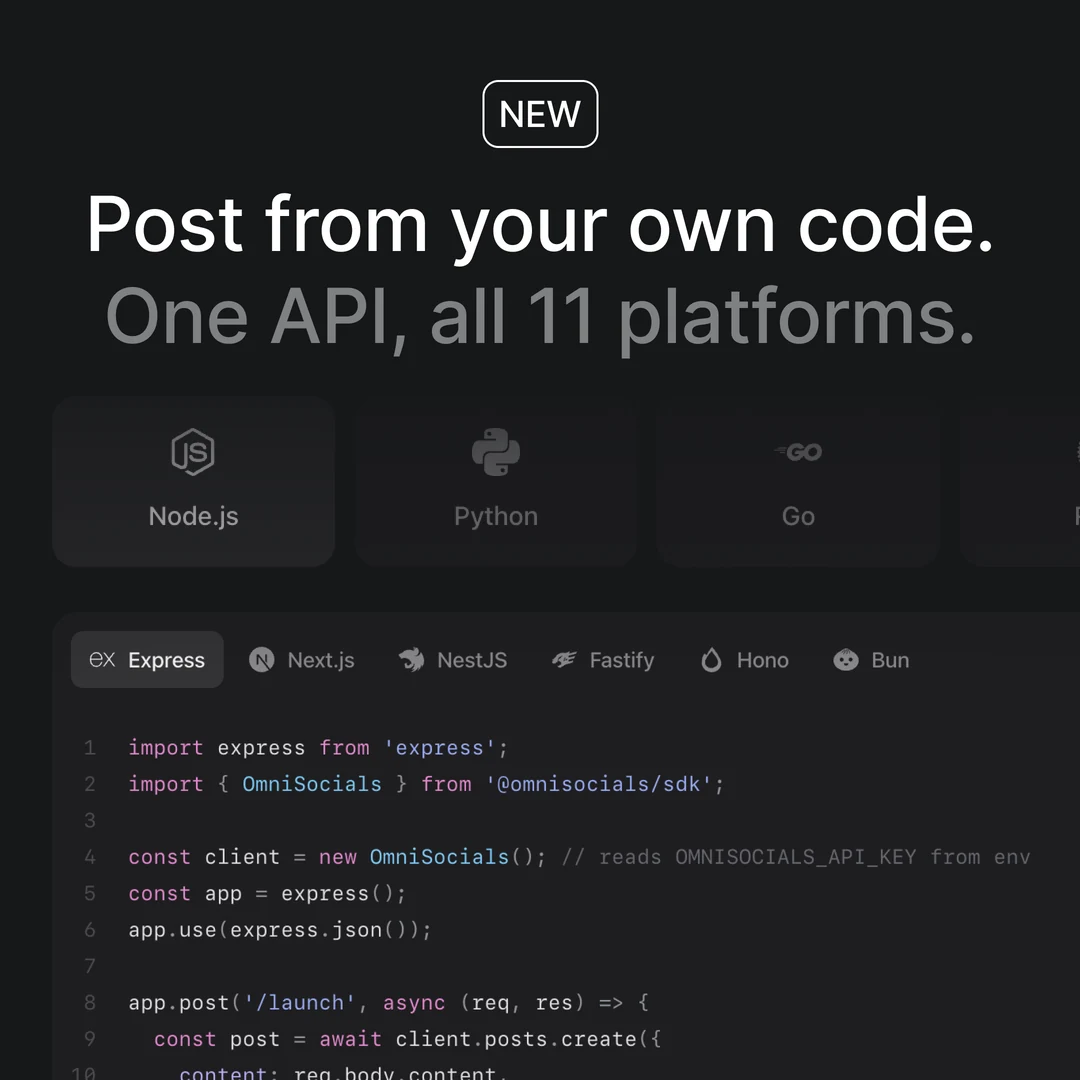
Post from your own code: SDKs in 8 languages.
Learn more
POST/v1/posts/create
01{
02 "content": "Post from your own code: SDKs in 8 languages.",
03 "accounts": ["google_business"],
04 "media_urls": ["https://cdn.example.com/sdks.jpg"],
05 "schedule_at": "2026-10-22T18:00:00Z",
06 "google_business": {
07 "cta": {
08 "actionType": "LEARN_MORE",
09 "url": "https://omnisocials.com/sdk"
10 }
11 }
12}
201 Createdstatus: "scheduled"
Six buttons
Learn more, Book, Order online, Buy, Sign up or Call now, on any post type. Every one but Call now opens your link.
cta.actionTypecta.url
Google’s post types
Update, Event or Offer. Events and offers carry a title and dates; an offer adds a redeem link or a coupon, and terms.
topic_typeeventoffer
One image or none
A JPEG or PNG image up to 5 MB, or text alone. Other image types are refused in your request, before anything reaches Google.
media_urls
Events and offers Google accepts
Give a post a title and dates to make it an event. Add a coupon code or a redeem link and terms to make it an offer. Links and phone numbers in the caption fail your request with a clear message, before Google can answer with a bare 400.
POST/v1/posts/createapplication/json
01{
02 "content": "Plan every channel from one calendar: omnisocials.com",
03 "accounts": ["google_business"],
04 "media_urls": ["https://cdn.example.com/app.jpg"],
05 "schedule_at": "2026-10-24T09:00:00Z",
06 "google_business": {
07 "topic_type": "OFFER",
08 "event": {
09 "title": "Try OmniSocials free for 14 days",
10 "schedule": {
11 "startDate": { "year": 2026, "month": 10, "day": 24 },
12 "startTime": { "hours": 9, "minutes": 0 },
13 "endDate": { "year": 2026, "month": 11, "day": 30 },
14 "endTime": { "hours": 23, "minutes": 59 }
15 }
16 },
17 "offer": {
18 "redeemOnlineUrl": "https://omnisocials.com/pricing",
19 "termsConditions": "A card is needed for the trial."
20 }
21 }
22}
Sending400 Bad Request38 ms201 Created402 ms
SendAuthorization: Bearer $OMNISOCIALS_API_KEY
Events
A title of up to 58 characters with a start and an end, in Google’s own date and time fields. Google prints them above your text.
topic_type: "EVENT"event.schedule
Offers
A coupon code or an https redeem link, terms of up to 4,000 characters, and the dates the offer runs.
offer.couponCodeoffer.redeemOnlineUrl
Captions Google accepts
A link or a phone number in the text fails your request with the reason. Put the link on the offer or a button; Call now uses your profile’s number.
400 validation_error
Read your location’s numbers
Google discontinued per-post insights in 2023, so the numbers live on the location: views from Search and Maps, calls, direction requests, website clicks, bookings, rating and reviews. A post answers metrics_unavailable with a note, never zeros.
GET/v1/analytics/accounts?platform=google_business&date=2026-10-07
Authorization: Bearer $OMNISOCIALS_API_KEY
200 OK121 ms
01{
02 "data": [
03 {
04 "platform": "google_business",
05 "date": "2026-10-07",
06 "metrics": {
07 "period": "daily", "data_date": "2026-10-04",
08 "impressions": 98,
09 "impressions_breakdown": {
10 "desktop_maps": 7, "desktop_search": 30,
11 "mobile_maps": 19, "mobile_search": 42
12 },
13 "calls": 0, "direction_requests": 1,
14 "website_clicks": 1, "bookings": 0,
15 "impressions_30d": 2940, "website_clicks_30d": 38,
16 "search_keywords": [
17 { "keyword": "omnisocials", "value": 212 },
18 { "keyword": "social media scheduler", "value": 38 }
19 ],
20 "search_keywords_month": "2026-09"
21 }
22 }
23 ],
24 "date": "2026-10-07"
25}
GET/v1/analytics/posts/1019
Authorization: Bearer $OMNISOCIALS_API_KEY
200 OK96 ms
01{
02 "data": {
03 "post_id": "1019",
04 "platforms": {
05 "google_business": {
06 "metrics": {
07 "metrics_unavailable": true,
08 "note": "Google discontinued per-post insights for Business Profile posts in 2023. Account-level metrics are collected instead.",
09 "state": "LIVE"
10 }
11 }
12 }
13 }
14}
Views by surface
How often the profile was seen on Google Search and on Maps, on desktop and on mobile. Per day and over the last 30 days.
impressions_breakdownimpressions_30d
What people did
Calls, direction requests, website clicks and bookings, plus the average rating and the number of reviews.
callsdirection_requestsreview_count
Search keywords
Once a month, the searches that showed your profile and how often. Google lags two to three days; data_date says which day.
search_keywordsdata_date
Connect a location once, post from code
Sign in with Google once inside OmniSocials and pick the location. Create an API key, and your code posts and reports for that location.
OmniSocials
Name, icon, social channels and who can open this workspace.
GeneralMembersClientsApproval workflowsAPI
Workspace iconJPG or PNG, up to 2 MB.
Workspace nameOmniSocials
Social channels
The accounts this workspace posts to.
Connected

@omnisocials_
Instagram

@omnisocials_
Threads

OmniSocials
LinkedIn Page

@omnisocials_
X
Add a channel
Google BusinessUpdates, Events & Offers FacebookPosts, Stories & ReelsLinkedIn ProfilePosts & Carousels
 YouTubeShorts
 TikTokVideos & Photo posts
 PinterestPins & Carousels
 BlueskyPosts & Threads
 MastodonAny server
 TelegramChannels and groups
Coming soon




Danger zone
Delete workspace
Deletes this workspace with its posts, media and settings for good. This cannot be undone.
OmniSocials
Name, icon, social channels and who can open this workspace.
GeneralMembersClientsApproval workflowsAPI
API keys
Keys that can only reach this workspace.
| Name | Key | Last used | |
|---|---|---|---|
Claude | omsk_live_••••7c2e | Oct 20, 2026 |
GET/v1/accounts?platform=google_business
200 OK88 ms
01{
02 "data": [
03 {
04 "id": "4127_google_business",
05 "platform": "google_business",
06 "content_types": ["post"],
07 "status": "active",
08 "needs_reconnect": false
09 }
10 ],
11 "workspace_name": "OmniSocials"
12}
Authorization: Bearer $OMNISOCIALS_API_KEY
Sign in with Google
Connect once in OmniSocials with the Google account that manages your Business Profile. Its hourly tokens stay with OmniSocials.
Every location in one list
Locations from every account the Google account reaches, in one picker. With a single location, it is picked for you.
Checked when you create
A post for a workspace without a selected location fails in your request, with the fix, not later at publish time.
400 validation_error
“Very easy to use and very handy to schedule posts across platforms for my marketing agency.”

Niels Koelewijn
Founder of Frizzer
Under the hood
Built for production
Signed webhooks, automatic retries, SDKs in 8 languages and a key per workspace. Create a key and send your first request in minutes.


Google’s rules, in one place
OmniSocials checks every post against them before it reaches Google, so a bad post fails in your request, not at publish time.
Caption1,500 characters, a post needs text
In the captionNo links and no phone numbers
ImageOne JPEG or PNG, up to 5 MB
VideoNot on Google Business
Title and coupon58 characters each
Offer terms4,000 characters
Redeem linkhttps:// only
ButtonsA link on all but Call now
Rate limit100 requests a minute per API key
AccountsOne location per workspace
Your first update in three steps
About five minutes from sign-up to a scheduled update on your Business Profile. Then hand the key to your coding agent.
Create an API key
Start your trial, open Settings, API and create a key. It is shown once.
Settings › APIStep 1
Connect your location
Sign in with Google in OmniSocials once and pick the location. Then list it from your code.
GET /v1/accountsStep 2
Send your first update
Post now with create-and-publish, or add schedule_at to plan it.
POST /v1/posts/createStep 3
Frequently
Asked Questions

Robert LigthartFounder of OmniSocials
Ship your Google Business
integration this week.
From $10 per seat a month, API included. 14-day free trial.
https://docs.omnisocials.com