 Telegram API for developers
The Telegram API,without building a bot
Post to your Telegram channel or group with one REST call: photos, videos, albums, polls and link buttons. No bot token, no BotFather, no webhook server. Read reactions per emoji and poll votes.

Webhooksyour-app.com/hooks
post.scheduledpost 1024just now200
post.publishedpost 10192 h ago200
post.approvedpost 10193 h ago200
POST/v1/posts/createapplication/json
01{
02 "content": "New: Best times to post",
03 "accounts": ["telegram"],
04 "media_urls": ["https://cdn.example.com/best-times.png"],
05 "telegram": {
06 "buttons": [
07 {
08 "text": "Read the docs",
09 "url": "https://docs.omnisocials.com/api/analytics"
10 }
11 ]
12 },
13 "schedule_at": "2026-10-22T18:00:00Z"
14}
Sending201 Created412 ms
Send15{
16 "data": {
17 "id": "1024",
18 "status": "scheduled",
19 "app_url": "https://app.omnisocials.com/create-post/1024"
20 }
21}
A request schedules a Telegram post with a photo and a link button for Thu at 18:00; it appears in the OmniSocials calendar and the webhook post.scheduled fires.








Your coding agent runs the same calls through the CLI
Skip building a Telegram bot
Telegram’s Bot API is free, but the bot is yours to build: create it with BotFather, run a webhook server or a long-poll loop, store every chat id, check the bot’s admin rights, upload the media, split captions over 1,024 characters and retry on 429. OmniSocials runs that bot for you.
On your own
can_post_messagescan_edit_messagescan_pin_messages
BotFatherWebhookChat idsAdmin rightsUploadsCaptionsRetriesReconnectsFirst postOn OmniSocials
Sign inAPI keyPOSTFirst postOur bot, added with Telegram’s chat pickerEvery Telegram format, one request
Text, a photo, a video, a GIF, albums of up to 10 and native polls share one request shape. OmniSocials checks the post against Telegram’s limits and counts characters the way Telegram does before anything is sent.

OmniSocials
2.4K subscribers

New: Best times to post
18:00
Read the docs
POST/v1/posts/create
01{
02 "content": "New: Best times to post",
03 "accounts": ["telegram"],
04 "media_urls": ["https://cdn.example.com/best-times.png"],
05 "telegram": {
06 "buttons": [
07 {
08 "text": "Read the docs",
09 "url": "https://docs.omnisocials.com/api/analytics"
10 }
11 ]
12 },
13 "schedule_at": "2026-10-22T18:00:00Z"
14}
201 Createdstatus: "scheduled"
Text, photos and video
Text up to 4,096 characters, with a link preview. One photo, one MP4 or MOV video up to 50 MB, or one GIF, with a caption.
contentmedia_urls
Albums
2 to 10 photos and videos in one message, mixed as you like. A GIF goes on its own.
media_urls
Native polls
The post text is the question. 2 to 12 answers, one or several per person, open until you close it or up to 30 days. Always anonymous.
telegram.poll
Every Telegram option in one object
Send it silently, pin it, protect it from forwarding, blur the media, put the text above it, turn off the link preview or add a first comment. The telegram object holds them all, and the app shows the same switches.
OmniSocials
2.4K subscribers
Pinned message
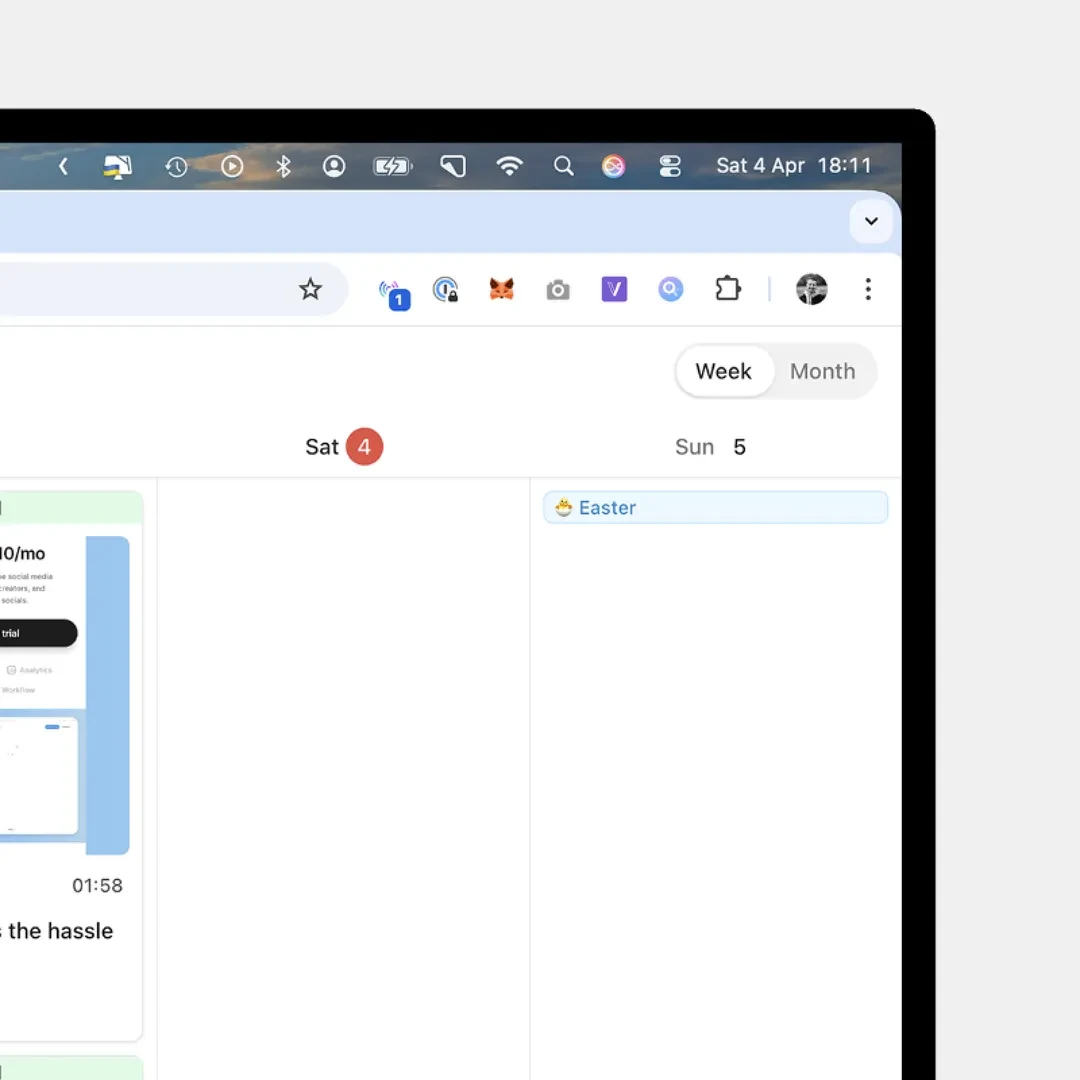
New in OmniSocials: Notable Days
16:00
POST/v1/posts/createapplication/json
01{
02 "content": "New in OmniSocials: Notable Days",
03 "accounts": ["telegram"],
04 "media_urls": ["https://cdn.example.com/notable-days.png"],
05 "telegram": {
06 "silent": true,
07 "protect_content": true,
08 "pin": true,
09 "first_comment": "Release notes: https://omnisocials.com/changelog"
10 },
11 "schedule_at": "2026-10-23T16:00:00Z"
12}
201 Created386 msstatus: "scheduled"
Message options
silent, protect_content, spoiler, caption_above_media and link_preview, the switches Telegram itself has. Each takes true, false or null, and the link preview stays on unless you send false.
telegram.silenttelegram.protect_content
Pin and first comment
pin pins the post once it is out. In a group, make the bot an admin with Pin messages first; without the right the post still goes out and result.pin_error reads “no_right”. first_comment is a silent reply under the post.
telegram.pintelegram.first_comment
Link buttons
Up to 3 buttons, one per row, each a label of 1 to 64 characters and a link that starts with https://, http:// or tg://. Telegram shows none under an album or a poll.
telegram.buttons
One request with the telegram object schedules a Telegram photo that is sent silently, protected from forwarding, pinned and followed by a first comment; the OmniSocials composer shows the same options switched on.
Long text under media, handled
Telegram allows 1,024 characters under a photo or video. Send up to 4,096 and OmniSocials sends the media first and the full text as a reply under it, buttons included. The post then says where every message landed.
OmniSocials
2.4K subscribers
👍 31🔥 18🎉 12
09:30
New: Review posts in a feed and comment on any word
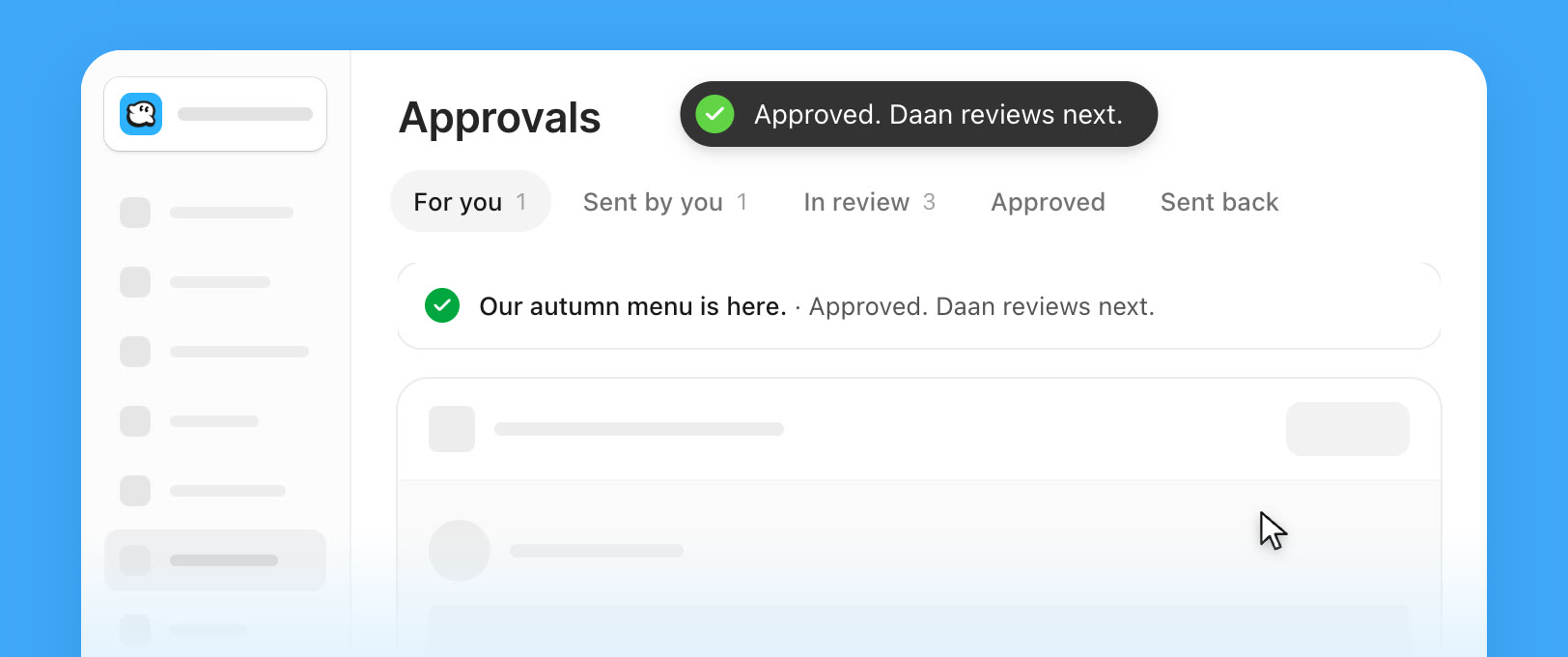
Approvals is now a feed. Every post that waits for you is a card with its real preview per channel. Approve it, or choose Request changes and write what to change. The tabs are For you, Sent by you, In review, Approved and Sent back, and the list view is one click away.
Select words in a caption to comment on them, or suggest new words that the author applies with one click. On a Reel you comment on a moment in the video, on a Story on a point of a slide. You can also edit a caption in the card itself and choose Save and approve. A post you have decided folds into one line, and the message tells you who reviews next.
Edits during a review keep the approvals: a change to the caption, the first comment or the time keeps every approval given, and the people who approved get a notice. A change to the media or the channels starts the review again from step 1, and the editor asks you first.
Also new: a Library with folders, a Reports page and one bell for every workspace. https://omnisocials.com/changelog
09:30
Read the changelog
POST/v1/posts/create-and-publishapplication/json
01{
02 "content": "New: Review posts in a feed and comment on any word\n\nApprovals is now a feed. Every post that waits for you is a card with its real preview per channel. Approve it, or choose Request changes and write what to change. The tabs are For you, Sent by you, In review, Approved and Sent back, and the list view is one click away.\n\nSelect words in a caption to comment on them, or suggest new words that the author applies with one click. On a Reel you comment on a moment in the video, on a Story on a point of a slide. You can also edit a caption in the card itself and choose Save and approve. A post you have decided folds into one line, and the message tells you who reviews next.\n\nEdits during a review keep the approvals: a change to the caption, the first comment or the time keeps every approval given, and the people who approved get a notice. A change to the media or the channels starts the review again from step 1, and the editor asks you first.\n\nAlso new: a Library with folders, a Reports page and one bell for every workspace. https://omnisocials.com/changelog",
03 "accounts": ["telegram"],
04 "media_urls": ["https://cdn.example.com/approvals.jpg"],
05 "telegram": {
06 "buttons": [
07 {
08 "text": "Read the changelog",
09 "url": "https://omnisocials.com/changelog"
10 }
11 ]
12 }
13}
Authorization: Bearer $OMNISOCIALS_API_KEYSending201 Created412 msstatus: "posting"
1,070 charactersMedia first, then the text
Over the 1,024 characters a caption allows, the picture or album goes first and the full text follows as a silent reply under it. Your link buttons move to that reply.
contentresult.text_message_id
Counted like Telegram
Up to 4,096 characters, counted in UTF-16 the way Telegram counts, so most emoji count as 2. A longer text fails in your request, with the count, before anything is sent.
Where it landed
telegram.result lists the message ids, the reply, the pin and both links. published_urls.telegram is the t.me link of a public chat, else the t.me/c link members can open.
telegram.resultpublished_urls.telegram
One request publishes a picture with a 1,070-character text to a Telegram channel: the picture goes first, the text follows as a reply under it with the link button, reactions come in per emoji, and GET /v1/posts/1019 returns the message ids, the reply's id and the t.me links.
Connect in Telegram, post from code
Open the OmniSocials bot from Channels, press Start and pick your channel or group in Telegram’s own chat picker. OmniSocials checks that you are an admin of that chat. Then create an API key, and your code posts there.
OmniSocials
Name, icon, social channels and who can open this workspace.
GeneralMembersClientsApproval workflowsAPI
Workspace iconJPG or PNG, up to 2 MB.
Workspace nameOmniSocials
Social channels
The accounts this workspace posts to.
Connected

@omnisocials_
Instagram

@omnisocials_
Threads

OmniSocials
LinkedIn Page

@omnisocials_
X
Add a channel
TelegramChannels and groups FacebookPosts, Stories & ReelsLinkedIn ProfilePosts & Carousels
 YouTubeShorts
 TikTokVideos & Photo posts
 PinterestPins & Carousels
 BlueskyPosts & Threads
 MastodonAny server
 Google BusinessUpdates, Events & Offers
Coming soon




Danger zone
Delete workspace
Deletes this workspace with its posts, media and settings for good. This cannot be undone.
OmniSocials
Name, icon, social channels and who can open this workspace.
GeneralMembersClientsApproval workflowsAPI
API keys
Keys that can only reach this workspace.
| Name | Key | Last used | |
|---|---|---|---|
Claude | omsk_live_••••7c2e | Oct 20, 2026 |
GET/v1/accounts?platform=telegram
200 OK88 ms
01{
02 "data": [
03 {
04 "id": "4127_telegram",
05 "platform": "telegram",
06 "display_name": "OmniSocials",
07 "needs_reconnect": false,
08 "platform_details": {
09 "chat_type": "channel",
10 "chat_id": "-1002049318842",
11 "subscribers": 2418,
12 "url": "https://t.me/omnisocials"
13 }
14 }
15 ]
16}
Authorization: Bearer $OMNISOCIALS_API_KEY
Our bot, your chat
No bot token and no BotFather. In a channel Telegram adds the bot as an admin that can post; in a group it joins as a member.
Knows when the bot is gone
When someone removes the bot or takes away its right to post, the account reads needs_reconnect with the reason, and you get one email.
needs_reconnectreauth_reason
What the chat is
The accounts call returns the chat type, its id, the subscribers or members and its t.me link. Each workspace connects one chat.
GET /v1/accountsplatform_details
“The MCP is the real game changer for me. It makes the whole workflow feel much faster and less messy.”

Ansub Khan
Founder of Supafast
Read what Telegram gives bots
Reactions per emoji, poll votes and your subscribers. Telegram gives bots no view counts, so views read N/A in the app and the API leaves them out.
AnalyticsReports
All
Followers
2,418
Engagements
175
Published Posts
5
Posts5Accounts8
Post | Channels | Impressions | Likes | Comments | Shares | Eng. rate | |
|---|---|---|---|---|---|---|---|
New: Review posts in a feed and comment on any word Oct 21, 2026 | | N/A | 61 | N/A | N/A | N/A | |
Light or dark: which theme do you use? Oct 20, 2026 | | N/A | 35 | N/A | N/A | N/A | |
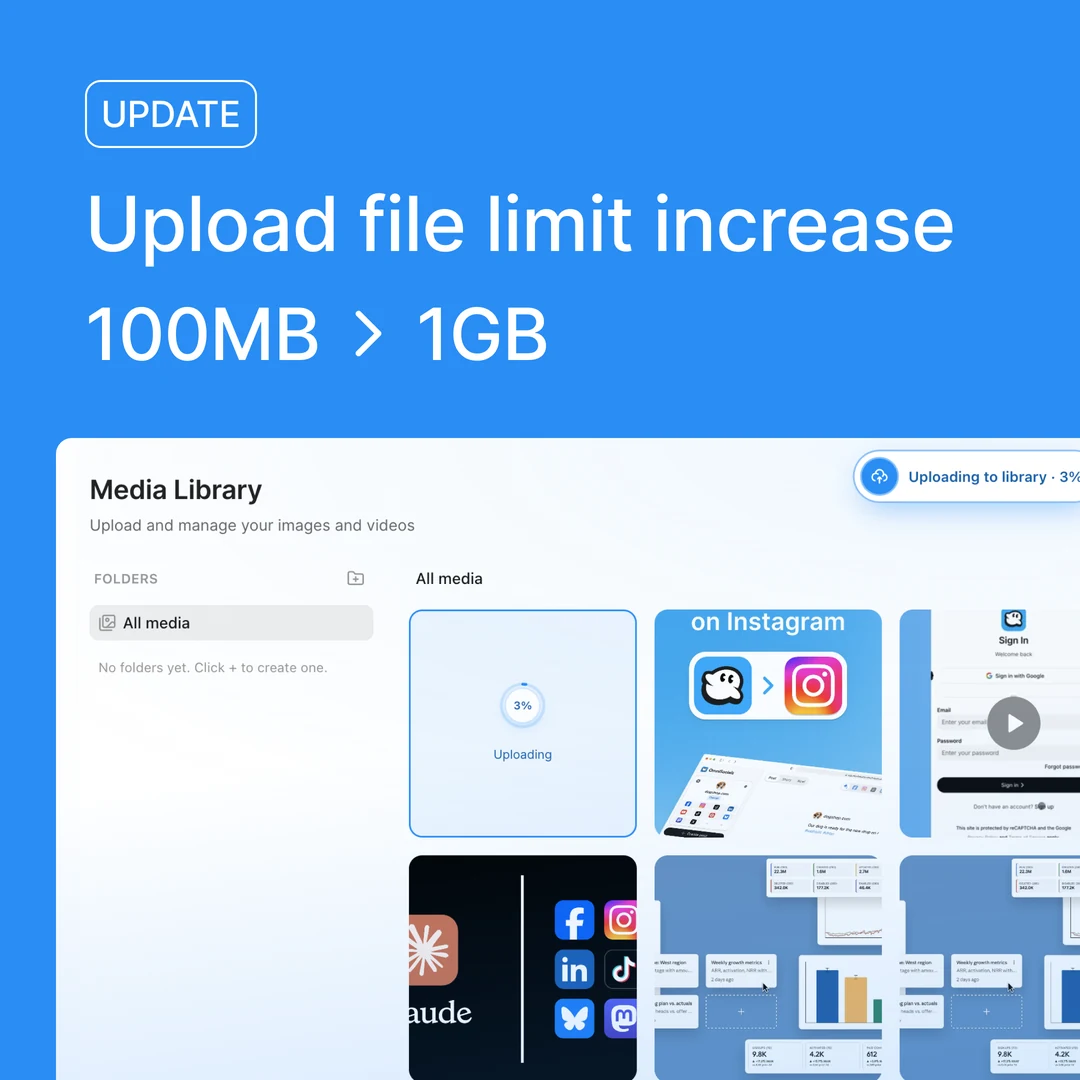 New: 1GB video uploads Oct 20, 2026 | | N/A | 27 | N/A | N/A | N/A | |
 New: PDF uploads Oct 19, 2026 | | N/A | 19 | N/A | N/A | N/A | |
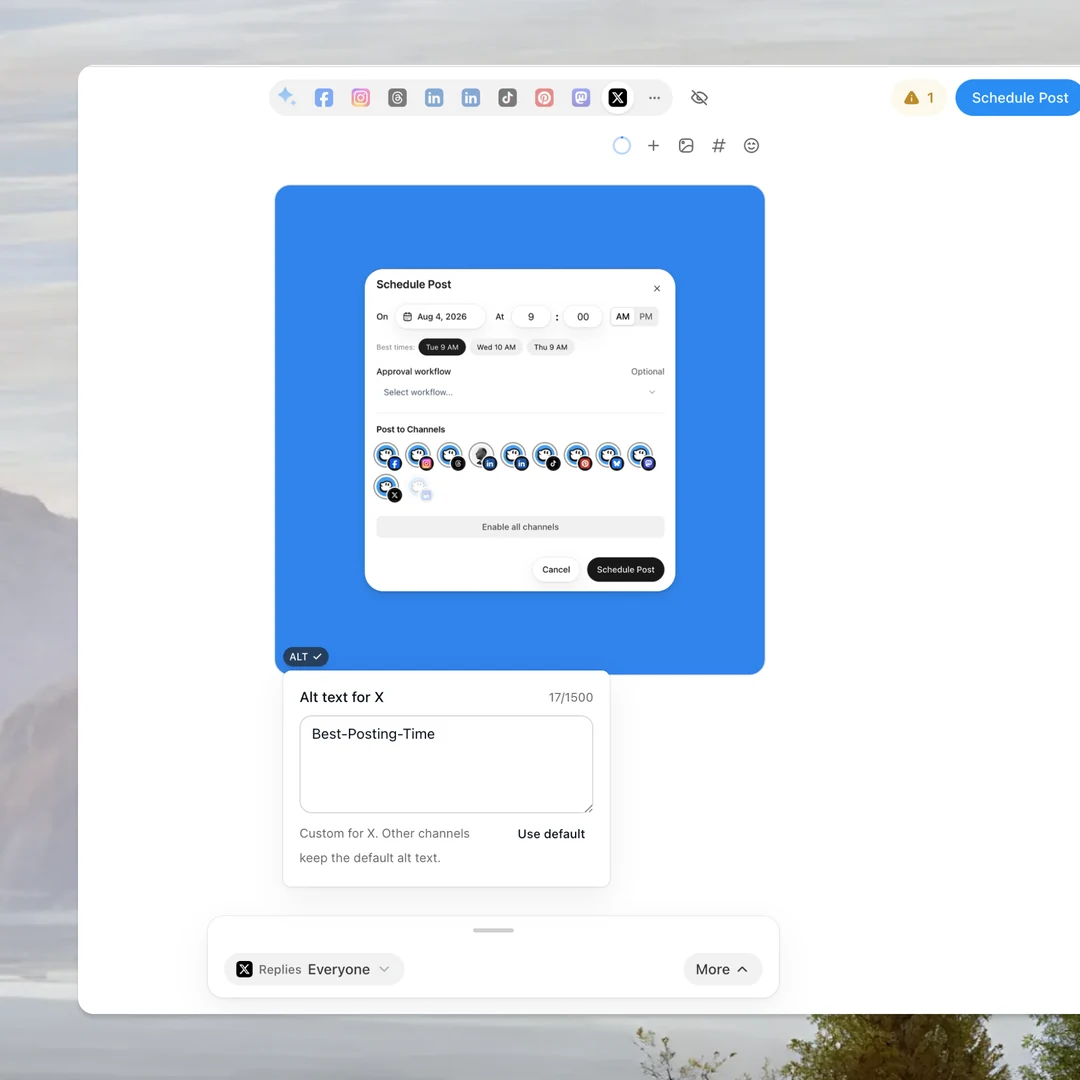 New: Alt text on every image Oct 19, 2026 | | N/A | 33 | N/A | N/A | N/A |
GET/v1/analytics/posts/1016
Authorization: Bearer $OMNISOCIALS_API_KEY
200 OK143 ms
01{
02 "data": {
03 "post_id": "1016",
04 "platforms": {
05 "telegram": {
06 "metrics": {
07 "likes": 35,
08 "reactions": { "👍": 24, "🔥": 11 },
09 "poll": {
10 "votes_count": 286,
11 "options": [
12 { "title": "Dark",
13 "votes_count": 148 },
14 { "title": "System",
15 "votes_count": 97 },
16 { "title": "Light",
17 "votes_count": 41 }
18 ]
19 }
20 }
21 }
22 }
23 }
24}
Reactions per emoji
likes is the total of every reaction, reactions the count per emoji. Telegram pushes them as they come in. In a group, the bot must be an admin to get them.
/analytics/posts/:idreactions
Poll votes
The votes per answer and the total, kept up to date as people vote.
metrics.poll
Subscribers
The subscribers of a channel or the members of a group, checked once a day, as the account’s followers.
/analytics/accountsfollowers
Under the hood
Built for production
Signed webhooks, automatic retries, SDKs in 8 languages and a key per workspace. Create a key and send your first request in minutes.


Telegram’s rules, in one place
OmniSocials checks every post against them before it reaches Telegram, so a post that breaks one fails in your request with the reason, not at publish time.
Text4,096 characters, an emoji counts 2
Caption1,024 under media, the rest as a reply
Album2 to 10 photos and videos, no GIFs
PhotosUp to 40 MB, re-encoded above 10 MB
Video and GIFMP4 or MOV up to 50 MB, one GIF
Poll2 to 12 answers of up to 100 characters
Poll question300 characters, open up to 30 days
ButtonsUp to 3, labels of 1 to 64 characters
First comment4,096 characters, sent silently
ChatsOne channel or group per workspace
RemovalFrom Telegram within 48 hours
Rate limit100 requests a minute per API key
Your first Telegram post in three steps
About five minutes from sign-up to a scheduled post in your channel. Then hand the key to your coding agent.
Create an API key
Start your trial, open Settings, API and create a key. It is shown once.
Settings › APIStep 1
Connect your chat
Open Channels, pick Telegram and press Start in the OmniSocials bot. Choose your channel or group, then list it from your code.
GET /v1/accountsStep 2
Send your first post
Post now with create-and-publish, or add schedule_at to plan it. Add the telegram object for buttons, a poll or a pin.
POST /v1/posts/createStep 3
Frequently
Asked Questions

Robert LigthartFounder of OmniSocials
Ship your Telegram
integration this week.
From $10 per seat a month, API included. 14-day free trial.
https://docs.omnisocials.com