7 Best Pinterest Schedulers in 2026 (Tested)
Pinterest is a search engine disguised as a social platform. Every pin you publish is a long-term asset that can drive traffic for months or years. But manually pinning content multiple times a day? That's not sustainable.
A good Pinterest scheduler lets you batch your pin creation, publish at optimal times, and keep your boards active without logging in every few hours. I tested 7 scheduling tools to find which ones actually handle Pinterest well, not just which ones list it as a supported platform.
Here's what I found after spending two weeks with each tool.
What to Look for in a Pinterest Scheduling Tool
The best Pinterest schedulers do more than queue pins. They help you pin at the right times, organize content across multiple boards, and track which pins actually drive clicks. Here are the features that matter.
Optimal timing. Pinterest engagement varies by time of day and day of week. Tools with smart scheduling analyze your audience data and pin automatically when your followers are most active. This alone can boost impressions significantly.
Multi-board pinning. If you pin the same content to multiple boards (you should), you need a tool that handles this without creating duplicates that could trigger Pinterest's spam filter. The best tools stagger pins across boards with configurable intervals.
Bulk uploading. Batch creators who design 20-50 pins in one sitting need bulk upload support. Uploading pins one at a time defeats the purpose of using a scheduler.
Analytics beyond vanity metrics. Pin impressions are nice. Click-through rates and saves are what matter. Look for tools that track downstream performance, not just surface-level engagement.
Visual planning. Pinterest is a visual platform. Being able to see your pins laid out before publishing helps you maintain board consistency and avoid repetitive content.
Quick Comparison: All 7 Pinterest Schedulers
| Tool | Starting Price | Free Plan | Pinterest-Specific Features | Best For |
|---|---|---|---|---|
| Tailwind | $14.99/mo | Limited trial | SmartSchedule, Communities, pin design | Pinterest-first users |
| OmniSocials | $10/mo | 14-day trial | Visual editor, 11 platforms, flat pricing | Multi-platform value |
| Buffer | Free/$5/ch | Yes (3 channels) | Basic pin scheduling | Free Pinterest scheduling |
| Hootsuite | $99/mo | None | Pinterest analytics, team workflows | Teams and enterprises |
| Later | $25/mo | Limited | Visual planner, Linkin.bio | Visual content planners |
| Pallyy | $13.50/mo | Yes (1 set) | Visual feed planner, social inbox | Affordable visual planning |
| Publer | $12/mo | Yes (3 accounts) | Bulk upload, auto-scheduling | Budget-conscious pinners |
Now let's break down each tool.
1. Tailwind: Best Pinterest-Specific Scheduler
[Screenshot: Tailwind SmartSchedule dashboard with Pinterest pin queue and optimal timing slots]
Tailwind is the gold standard for Pinterest scheduling, and it's not particularly close.
Built specifically for Pinterest (and Instagram), Tailwind has deeper Pinterest integration than any general-purpose social media tool. It's an official Pinterest partner, which means direct API access and features that other tools can't replicate.
The standout feature is SmartSchedule. Tailwind analyzes your Pinterest audience and automatically selects the best posting times for maximum engagement. You fill up a queue, and SmartSchedule handles the timing. After using it for two weeks, I noticed my pin impressions were consistently higher during SmartSchedule time slots compared to my manually chosen times.
Tailwind Communities (formerly Tribes) give you access to groups of content creators in your niche who share each other's pins. This is a built-in reach amplification tool that no other scheduler offers. For bloggers and e-commerce brands, Communities can be a real traffic driver.
The pin design tool is another differentiator. Create multiple pin variations from a single URL directly inside Tailwind. No switching to Canva, no exporting and re-uploading. It's fast, and the templates are surprisingly good for quick-turn content.
Key features:
- SmartSchedule pins at optimal times based on your audience data
- Tailwind Communities for collaborative pin sharing and reach
- Pin design tool with templates built into the scheduler
- Multi-board pinning with smart interval spacing
- Pin Inspector analytics for tracking individual pin performance
- Bulk upload support for batch scheduling
Pros:
- Deepest Pinterest integration of any third-party tool
- SmartSchedule consistently picks high-engagement time slots
- Communities provide organic reach you can't get elsewhere
- Pin design tools eliminate the need for a separate design app
- Official Pinterest partner status
Cons:
- $14.99/mo gets you Pinterest only (Instagram is separate)
- Limited to Pinterest and Instagram, no support for LinkedIn, TikTok, or other platforms
- The interface can feel cluttered with so many Pinterest-specific features
- Communities require active participation to get value
Pricing: From $14.99/mo (Pro plan). Free trial available with limited features.
Verdict: If Pinterest is your primary traffic channel and you want every possible advantage, Tailwind is the tool to use. SmartSchedule, Communities, and the pin design tools are features you won't find anywhere else. The trade-off is that Tailwind doesn't help you with any other platform beyond Instagram.
2. OmniSocials: Best Multi-Platform Pinterest Scheduler
[Screenshot: OmniSocials visual post editor with Pinterest pin preview and multi-platform scheduling]
OmniSocials is the best Pinterest scheduler for people who need Pinterest as part of a broader social media strategy, not their entire strategy.
At $10/mo flat (annual billing), you get Pinterest scheduling alongside 10 other platforms: Instagram, Facebook, LinkedIn, YouTube, TikTok, X, Bluesky, Threads, Mastodon, and Google Business Profile. No per-channel fees. No feature gates. Every platform gets the same treatment.
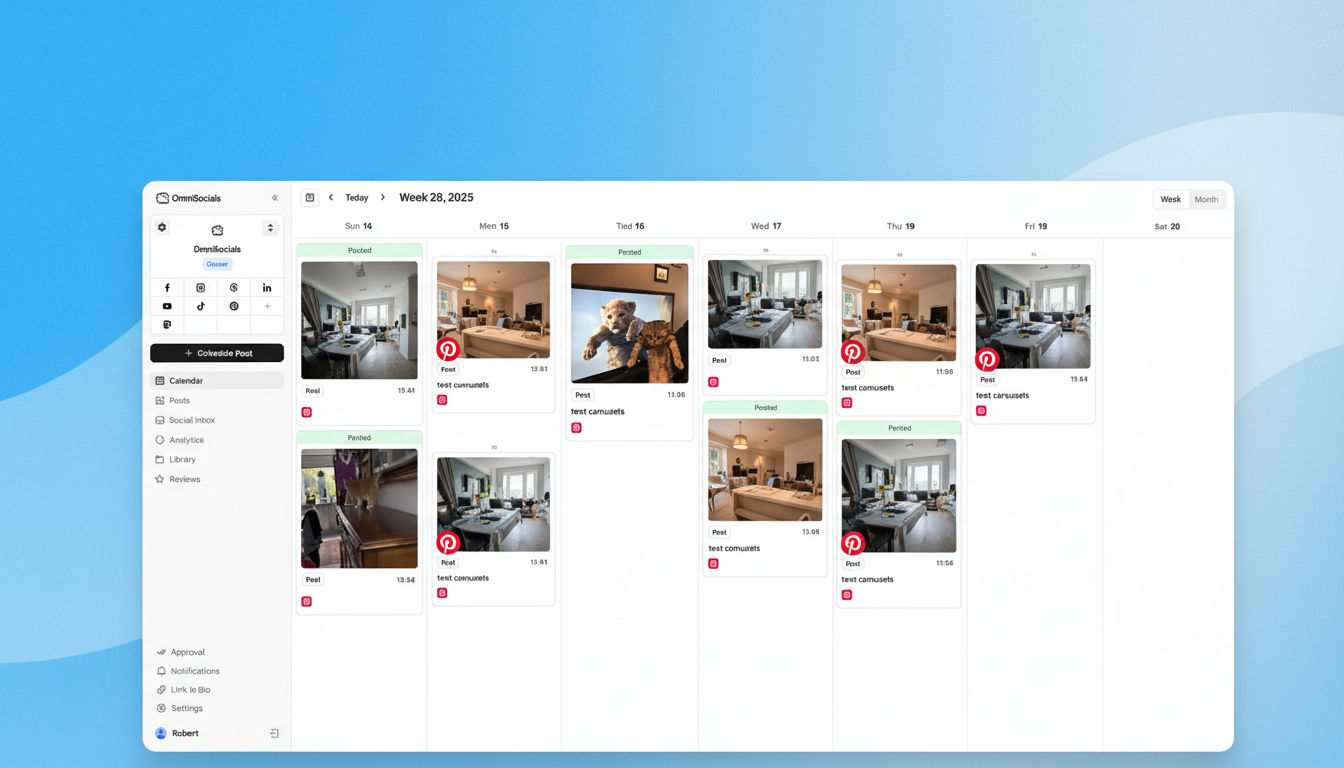
The visual post editor lets you customize your Pinterest pin separately from your Instagram post or LinkedIn update, all from the same screen. You see a real preview of how your pin will look before it publishes. For creators who repurpose content across platforms, this workflow saves a lot of time compared to switching between Tailwind for Pinterest and Buffer for everything else.
What I particularly like about OmniSocials for Pinterest is the media library with built-in Pexels and Unsplash integration. Pinterest is a visual-heavy platform, and having stock imagery accessible without leaving the scheduler speeds up pin creation. The unified social inbox also means you can track Pinterest comments and engagement alongside your other platforms.
Key features:
- 11 platforms from one dashboard, Pinterest included
- Visual post editor with per-platform customization and pin preview
- Media library with Pexels and Unsplash integration
- Unified social inbox for comments and DMs across all platforms
- Approval workflows for team and client review
- Flat pricing at $10/mo, no per-channel fees
Pros:
- Best value for multi-platform scheduling that includes Pinterest
- Visual editor shows exactly how your pin will look
- Social inbox keeps Pinterest engagement visible alongside other channels
- Flat pricing means Pinterest doesn't cost extra
Cons:
- No Pinterest-specific features like SmartSchedule or Communities
- Pinterest analytics are solid but not as deep as Tailwind's
- Newer platform with fewer third-party integrations
- No pin design tool built in
Pricing: $10/mo (annual) or $12/mo (monthly). 14-day free trial.
Verdict: If you schedule pins alongside posts on Instagram, LinkedIn, TikTok, and other platforms, OmniSocials gives you the best bang for your money. You won't get Tailwind's Pinterest-specific features, but you'll get a single tool that covers everything at a price that's hard to beat.
Want to try it? Start a free OmniSocials trial and connect Pinterest alongside all your other platforms. 14 days, all features unlocked.
3. Buffer: Best Free Pinterest Scheduler
[Screenshot: Buffer scheduling queue with a Pinterest pin draft and clean minimal interface]
Buffer is the simplest way to schedule Pinterest pins for free.
Buffer's free plan gives you 3 social channels with 10 scheduled posts each. Connect your Pinterest account as one of those channels, and you've got basic pin scheduling at zero cost. The interface is clean, fast, and takes about two minutes to learn.
For Pinterest specifically, Buffer handles the essentials: schedule a pin, add a description, select a board, choose a time. Nothing more, nothing less. If you pin 2-3 times a day across a couple of boards, the free plan covers that without a problem.
The paid Essentials plan at $5/channel/month removes the post limit and adds analytics. That's where Buffer's pricing model becomes relevant. If Pinterest is your only channel, $5/mo for unlimited scheduling is reasonable. If you manage Pinterest plus four other platforms, you're looking at $25/mo, and other tools on this list offer more for less at that price point.
Key features:
- Free plan with 3 channels and 10 posts per channel
- Clean interface that requires almost no learning curve
- Basic analytics on the Essentials plan
- Browser extension for quick pinning from any website
- Mobile app for scheduling on the go
- AI assistant for pin description suggestions
Pros:
- Genuinely useful free plan for low-volume Pinterest scheduling
- Simplest, most intuitive interface of any tool on this list
- Browser extension makes it easy to pin content you discover online
- Reliable, established platform with years of uptime
Cons:
- Per-channel pricing adds up fast for multi-platform users
- Pinterest features are basic: no SmartSchedule, no multi-board pinning
- Free plan caps at 10 scheduled posts per channel
- No social inbox for managing Pinterest comments
- Analytics are surface-level compared to Tailwind or Hootsuite
Pricing: Free (3 channels, 10 posts each) / Essentials from $5/channel/mo.
Verdict: Buffer is the right choice if you need free Pinterest scheduling and only pin a few times a week. The moment you need more channels, analytics, or advanced features, the per-channel pricing pushes you toward tools with better value.
4. Hootsuite: Best Pinterest Scheduler for Teams
[Screenshot: Hootsuite streams dashboard with Pinterest board monitoring and team assignment workflows]
Hootsuite is the Pinterest scheduler you pick when multiple people need to coordinate content and someone on the team needs approval workflows.
Starting at $99/mo, Hootsuite is the most expensive option on this list. That price includes 10 social accounts and 1 user. But where Hootsuite earns its cost is team infrastructure. Assignment workflows, approval chains, and role-based permissions make it possible for a marketing team to run a Pinterest strategy without stepping on each other's posts.
Hootsuite's Pinterest analytics go deeper than Buffer or Publer. You get pin performance data, board-level insights, and cross-platform reporting that shows how Pinterest stacks up against your other channels. For teams that report to stakeholders, the export options produce clean PDFs and CSVs.
The bulk composer lets you upload multiple pins at once via CSV. Useful if your design team produces a batch of pin graphics and your social team needs to schedule them across boards and dates.
Key features:
- Team workflows with assignments, approvals, and role permissions
- Pinterest analytics with board-level reporting and exports
- Bulk composer for CSV-based pin uploads
- Streams dashboard for monitoring Pinterest boards and mentions
- 10 social accounts included on the base plan
- App directory with hundreds of integrations
Pros:
- Best team collaboration features for Pinterest workflows
- Detailed Pinterest analytics with export capabilities
- Bulk composer handles large pin batches efficiently
- Integrations with CRMs, project tools, and ad platforms
Cons:
- $99/mo starting price is steep for solo users and small teams
- No free plan (removed in 2023)
- Interface feels dated compared to newer tools like OmniSocials and Pallyy
- Pinterest-specific features are less developed than Tailwind's
Pricing: From $99/mo (Professional plan). 30-day trial available. No free plan.
Verdict: Hootsuite makes sense for teams of 3+ that need structured Pinterest workflows with approvals and reporting. For solo pinners or small teams, the $99/mo price tag is hard to justify when Tailwind and OmniSocials deliver more Pinterest value for less.
5. Later: Best Visual Planner for Pinterest
[Screenshot: Later visual content calendar with Pinterest pins arranged in a drag-and-drop grid layout]
Later is the best Pinterest scheduler if you think visually and want to plan your content by seeing it laid out before anything goes live.
Later's drag-and-drop visual planner is the core of the experience. You upload your pin images, drag them into your calendar, and see exactly what's going out and when. For Pinterest creators who produce a lot of visual content, this planning view prevents duplicate pins from going to the same board and helps you maintain variety across your feed.
Linkin.bio is Later's link-in-bio tool, and it works with Pinterest profiles too. If you drive traffic from Pinterest to a landing page, Linkin.bio gives you a customizable page that tracks clicks and conversions.
At $25/mo for the Starter plan, Later costs more than Tailwind's base plan. You get 1 user and scheduling for 1 social set (which includes Pinterest). The Growth plan at $45/mo adds analytics and more social sets. That's pricey, but the visual planning experience is noticeably better than anything else here except Tailwind's pin inspector.
Key features:
- Visual content calendar with drag-and-drop pin scheduling
- Linkin.bio for Pinterest profile traffic tracking
- Best time to post suggestions based on audience data
- Media library with labels and search for organizing pin assets
- User-generated content discovery tools
- Hashtag analytics for Pinterest descriptions
Pros:
- Best drag-and-drop visual planning interface for Pinterest
- Linkin.bio provides click tracking that most tools don't
- Media library keeps pin assets organized and searchable
- Strong mobile app for on-the-go scheduling
Cons:
- $25/mo starting price for limited features and 1 social set
- Growth plan ($45/mo) needed for meaningful analytics
- Weaker on non-visual platforms like LinkedIn and X
- Free plan allows only 5 posts per profile per month
- No Pinterest Communities feature like Tailwind
Pricing: Limited free plan (5 posts/profile/mo) / Starter from $25/mo / Growth from $45/mo.
Verdict: Later is the pick for visual thinkers who want to see their Pinterest content laid out before scheduling. The planning interface is excellent. But the pricing is on the higher side for what you get, especially if you manage Pinterest alongside several other platforms.
6. Pallyy: Best Affordable Visual Pinterest Tool
[Screenshot: Pallyy visual feed planner showing a Pinterest board preview with scheduled pins]
Pallyy gives you most of Later's visual planning features at roughly half the price.
At $13.50/mo per social set, Pallyy includes a visual feed planner, social inbox, built-in analytics, and scheduling for Pinterest alongside Instagram, Facebook, LinkedIn, TikTok, X, and Google Business Profile. There's a free plan too, with 1 social set and 15 posts per month.
The visual feed planner is where Pallyy shines for Pinterest users. You can preview how your pins will look on your boards before scheduling them. It's not as refined as Later's drag-and-drop calendar, but it gets the job done and costs $11.50/mo less.
Pallyy also includes a social inbox for managing comments and messages across platforms, Pinterest included. That's a feature Buffer lacks entirely and Later charges extra for.
Key features:
- Visual feed planner with Pinterest board preview
- Social inbox for comments and messages across platforms
- Built-in analytics and reporting
- AI caption generator for pin descriptions
- Free plan with 1 social set and 15 posts/month
- Content calendar with drag-and-drop scheduling
Pros:
- Visual planning features at a budget-friendly price
- Social inbox included at no extra cost
- Free plan is genuinely useful for testing Pinterest scheduling
- Good platform coverage for the price
Cons:
- Per-social-set pricing grows as you add Pinterest boards and other profiles
- Visual planner is less polished than Later's
- Smaller user community means fewer tutorials and resources
- No Pinterest-specific features like SmartSchedule or Communities
Pricing: Free (1 social set, 15 posts/mo) / Premium from $13.50/mo per social set.
Verdict: Pallyy is the sweet spot for Pinterest creators who want visual planning without paying Later's premium pricing. The social inbox is a bonus. The trade-off is a less polished interface and no Pinterest-specific optimization features.
7. Publer: Best Budget Pinterest Scheduler
[Screenshot: Publer dashboard with bulk pin upload interface and Pinterest board selection]
Publer is the best Pinterest scheduler if you want a free plan that doesn't feel crippled and paid plans that undercut most of the competition.
Publer's free plan gives you 3 social accounts with 10 scheduled posts each. That matches Buffer's free plan. But Publer's free tier also includes basic analytics and a link-in-bio tool. Buffer's free plan gives you scheduling and that's it.
For Pinterest specifically, Publer's bulk upload feature is the headline. Upload up to 500 pins at once on the paid plan. If you create pin batches in Canva and need to schedule them across multiple boards, bulk upload saves serious time. Buffer doesn't offer bulk upload. Tailwind does, but Publer's implementation handles CSV imports with board assignments and scheduling times in a single step.
The Professional plan at $12/mo unlocks unlimited scheduling. The Business plan at $21/mo adds analytics and team features.
Key features:
- Free plan with 3 accounts and basic analytics
- Bulk upload for scheduling hundreds of pins at once
- Auto-scheduling with optimal time suggestions
- Link-in-bio page builder
- Watermark tool for branded pin images
- CSV import with board assignments and timing
Pros:
- Free plan is more feature-rich than Buffer's
- Bulk upload handles large pin batches efficiently
- Affordable paid plans starting at $12/mo
- Auto-scheduling picks good time slots for Pinterest
Cons:
- Per-account pricing on paid plans adds up if you manage many boards
- Interface is functional but not as polished as Buffer or OmniSocials
- Smaller community and fewer resources than established tools
- No Pinterest Communities or SmartSchedule equivalent
Pricing: Free (3 accounts) / Professional from $12/mo / Business from $21/mo.
Verdict: Publer is the budget pick for Pinterest scheduling. The free plan is useful, the bulk upload is a time saver, and the paid plans are cheaper than most alternatives. Just don't expect the polish or Pinterest-specific features of Tailwind.
Which Pinterest Scheduler Is Right for You?
The right tool depends on how central Pinterest is to your strategy.
If Pinterest is your primary traffic source: Tailwind ($14.99/mo) is the clear winner. SmartSchedule, Communities, and the pin design tools give you a Pinterest-specific advantage that no multi-platform tool can match.
If you manage Pinterest alongside other platforms: OmniSocials ($10/mo) gives you Pinterest plus 10 other platforms for less than Tailwind charges for Pinterest alone. Best value for a multi-platform workflow.
If you need free Pinterest scheduling: Buffer (free) handles basic pinning at no cost. Publer (free) gives you a bit more functionality on the free tier.
If you work in a team: Hootsuite ($99/mo) has the approval workflows and team permissions that solo-focused tools lack.
If you're a visual planner: Later ($25/mo) has the best drag-and-drop experience. Pallyy ($13.50/mo) gets you close at a lower price.
If you bulk-create pins: Publer ($12/mo) handles CSV imports and bulk uploads better than any tool at this price point.
For more options beyond Pinterest, check out our guide to the best social media schedulers and how to build a social media content calendar that keeps your pinning consistent.
Ready to schedule your pins? Try OmniSocials free for 14 days and manage Pinterest alongside all your other platforms from one dashboard.
Frequently Asked Questions
Can you schedule pins on Pinterest for free?
Yes. Pinterest's built-in scheduler lets you schedule pins up to 30 days ahead at no cost, directly from the Pinterest interface. Buffer also offers free Pinterest scheduling for up to 3 channels with 10 posts each. Publer provides a similar free plan with added analytics. For more advanced features like bulk uploading, smart timing, and cross-platform analytics, paid tools like Tailwind ($14.99/mo) and OmniSocials ($10/mo) are worth the investment.
What is the best Pinterest scheduling tool in 2026?
Tailwind is the best Pinterest scheduling tool if Pinterest is your main platform. Its SmartSchedule, Communities, and pin design tools are built specifically for Pinterest and offer features that general-purpose schedulers can't match. For users who manage Pinterest as part of a broader multi-platform strategy, OmniSocials offers the best value at $10/mo flat for 11 platforms including Pinterest.
Does scheduling pins hurt Pinterest reach?
No. Pinterest officially supports third-party scheduling through its API. Tools like Tailwind are official Pinterest partners, and scheduled pins are treated identically to manually published pins by the Pinterest algorithm. In fact, consistent scheduling often improves reach because it keeps your account active with fresh content at times when your audience is most engaged.