How to post to Instagram with Claude
Claude needs a connector before it can post to Instagram. The steps for claude.ai, the desktop app and Claude Code, five prompts to try, and answers on approvals, accounts and price.
 Robert LigthartFounder of OmniSocialsPublished 7 min read

Claude cannot post to Instagram by itself: on its own, it has no way to log in to your account. To let it post for you, add OmniSocials as a connector in Claude with the address https://mcp.omnisocials.com and sign in to OmniSocials. There is no API key to copy. Claude then posts photos, carousels, Stories and Reels to your Instagram account, now or at the time you name.
Key takeaways
- Claude cannot post to Instagram by itself. Add OmniSocials as a custom connector with https://mcp.omnisocials.com, sign in and click Allow access. There is no API key to copy.
- Connect your Instagram Business or Creator account in the OmniSocials app first. Claude posts to the accounts that are connected there.
- Claude can post photos, carousels, Stories and Reels, now or at a set time. It can also save drafts, or send a post to your approval workflow so a person signs off first.
- Every Claude plan can add the connector, Free included. OmniSocials costs $10 per seat a month billed yearly, with a 14-day free trial.
On this page
- Key takeaways
- What you need before you start
- How to connect Claude to Instagram on claude.ai and the desktop app
- How to connect Claude Code to Instagram
- What to ask Claude once it is connected
- Keep the final say with drafts and approvals
- Frequently asked questions
- Can Claude post to Instagram?
- Do I need an API key?
- Does a personal Instagram account work?
- Do I need a Facebook Page?
- Can I approve posts before they go live?
- What can Claude post to Instagram?
- What does it cost?
- Which Claude plans can add a connector?
- Does Claude need to stay open until the post goes out?
I'm Robert, the founder of OmniSocials, so this guide uses our connector. Setup takes about two minutes. Below are the steps for claude.ai and the Claude desktop app, then for Claude Code, then five prompts to try. To compare other connectors first, see the best social media MCP servers.
What you need before you start
- An Instagram Business or Creator account. If your account is personal, switch it to a professional account in the Instagram app first.
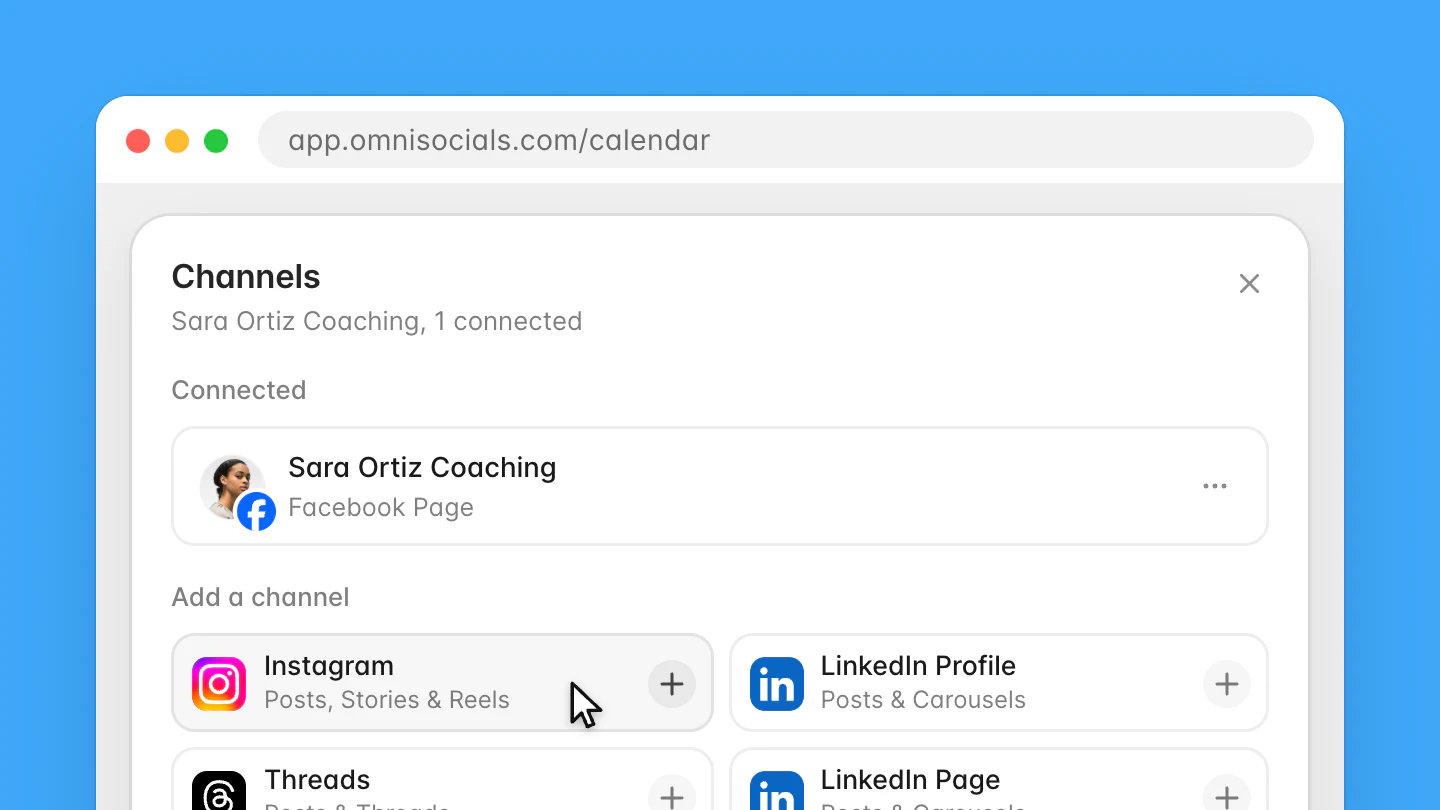
- Your Instagram account connected in OmniSocials. Start the 14-day free trial, click your workspace name at the top of the sidebar, then the channels button. Under Add a channel, click Instagram and sign in with Instagram's own login.
- A Claude account. Any plan works, Free included.
Connect Instagram in OmniSocials before you add the connector. Accounts are connected in the OmniSocials app, once, and Claude then works with every account that is connected there.
How to connect Claude to Instagram on claude.ai and the desktop app
Add the connector in a browser at claude.ai. The Claude desktop app and the phone apps use the same connector list, so OmniSocials shows up there as soon as you add it.
-
Open Claude's connector form. The link Add OmniSocials to Claude opens it with the name and the address filled in. Or open Customize, then Connectors, and click Add custom connector.
-
Add the server address. Name the connector OmniSocials, paste this address and click Add:
https://mcp.omnisocials.com -
Sign in to OmniSocials. Click Connect. OmniSocials opens: sign in, keep all workspaces or pick the ones Claude may use, and click Allow access.
-
Turn it on in a chat. Click + in the chat box, open Connectors and switch on OmniSocials.
-
Check the connection. Ask Claude: "List my social accounts on OmniSocials." It answers with your connected accounts, your Instagram account included.
On a Team or Enterprise plan, an Owner adds the connector once under Organization settings, then Connectors. Each member then clicks Connect and signs in.
How to connect Claude Code to Instagram
Claude Code adds the same server with one command, and you sign in from the session.
-
Add the server. Run this in your terminal.
--scope usermakes OmniSocials available in every project:claude mcp add --transport http --scope user \ omnisocials https://mcp.omnisocials.com -
Sign in. Start Claude Code, type
/mcp, pick omnisocials and finish the sign-in in your browser. -
Check the connection. Ask: "List my social accounts on OmniSocials."
More on terminal agents on the Claude Code page.
What to ask Claude once it is connected
Ask in plain words. Claude picks the OmniSocials tools itself, and every post lands in your OmniSocials calendar. Five prompts to start with:
- A Reel. "Schedule the video 'studio tour' from my OmniSocials library as an Instagram Reel for Thursday at 6 PM. Show it on my grid too, and put the hashtags in the first comment."
- A carousel. "Make an Instagram carousel from the five photos in my 'Spring menu' folder. Write a short caption about our new spring dishes and post it tomorrow at 9 AM."
- A Story. "Post the photo 'shop window' from my library to my Instagram Story now."
- A week of posts. "Plan next week on Instagram: three posts and two Reels from the files in my 'November' folder. Write the captions, tell me my best times to post, and save everything as drafts so I can check them first."
- A draft that waits for approval. "Write an Instagram post about our holiday opening hours with the photo 'holiday hours' from my library. Schedule it for Friday at 10 AM through my approval workflow, so it goes out only after it is approved."
On claude.ai and in the Claude apps, Claude shows each post as a card with its planned time and an Open in OmniSocials button. Claude Code ends its answer with the same link.
The same connector gives Claude 68 tools for 13 platforms. So in the same chat, Claude can also post that video to TikTok, read how your last Reels did, or answer your Instagram comments. The Instagram MCP page lists what Claude does on Instagram, and the Claude page covers everything else. For Reels without an agent, see how to schedule Instagram Reels.
Keep the final say with drafts and approvals
Claude publishes right away only when you ask it to post now. There are two ways to keep a person in the loop:
- Drafts. Ask for a draft and the post waits among your drafts in OmniSocials. You check it there and schedule it yourself.
- Approval workflows. Create a workflow in OmniSocials under Settings, then Approval workflows, and choose the approvers. Then ask Claude to send a post to it. The approvers get an email and a notification, can edit the text or move the time, and the post goes out at its planned time once the last step approves it.
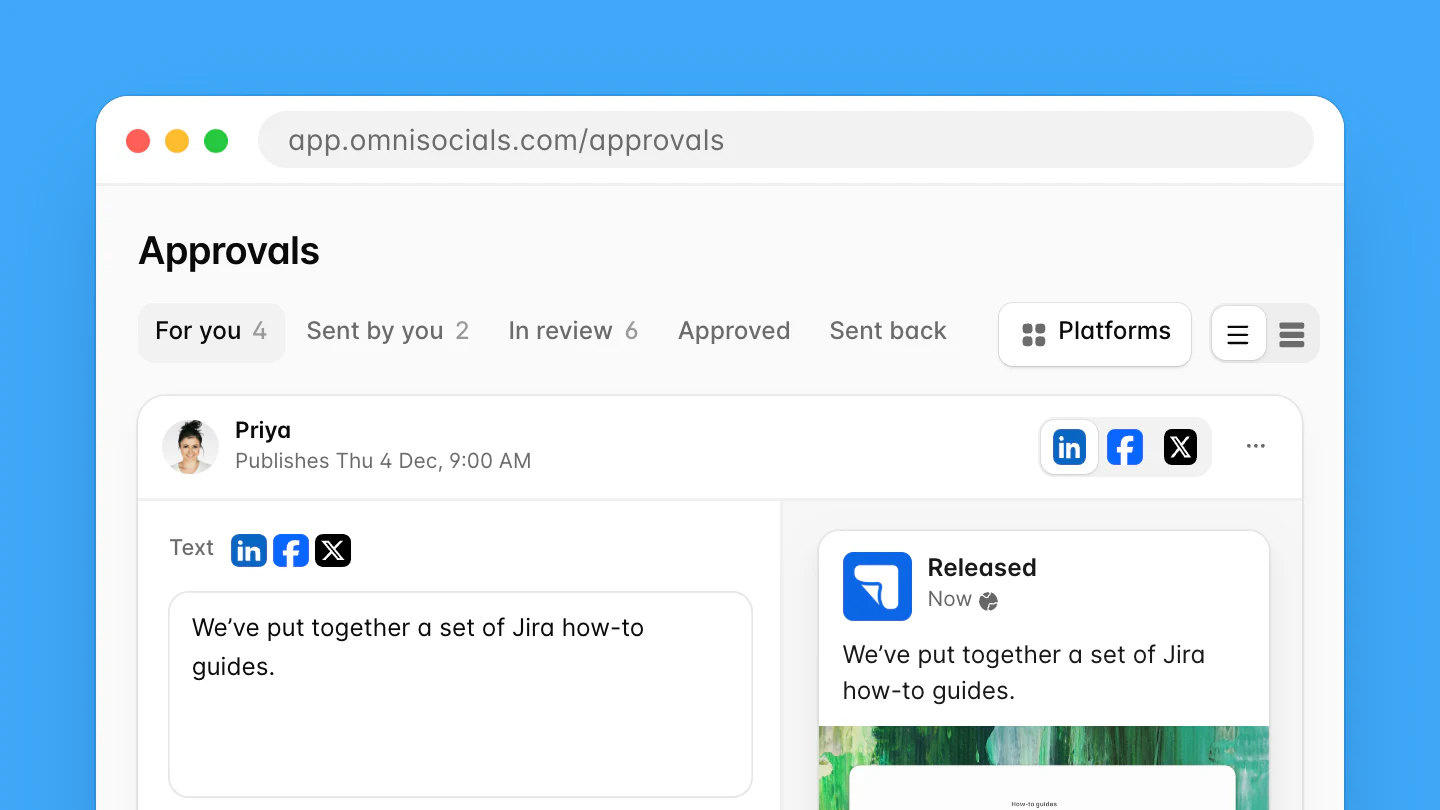
The approval workflows guide covers the steps in the app.
Frequently asked questions
Can Claude post to Instagram?
Yes, through a connector. Add OmniSocials as a custom connector in Claude with https://mcp.omnisocials.com and connect your Instagram account in OmniSocials. Claude then posts photos, carousels, Stories and Reels through Instagram's official API, now or at a time you name, and every post shows in your OmniSocials calendar.
Do I need an API key?
No. Claude signs in to OmniSocials with OAuth: you sign in, pick your workspaces and click Allow access. If you prefer a key, for example on a shared machine, create one in OmniSocials under Settings, then Organisation, then Integrations, and use the address with the key at the end: https://mcp.omnisocials.com?API_KEY=your_key.
Does a personal Instagram account work?
Claude posts to Instagram Business and Creator accounts, the professional accounts Instagram opens to apps. If your account is personal, switch it to a professional account in the Instagram app, then connect it in OmniSocials.
Do I need a Facebook Page?
No. OmniSocials connects to Instagram with Instagram's own sign-in, so Claude posts without a Facebook Page. To add licensed music to a Reel, connect the Facebook Page linked to that Instagram account in the same workspace.
Can I approve posts before they go live?
Yes. Ask Claude for a draft and schedule it yourself in OmniSocials, or have Claude send the post to an approval workflow. The approvers can edit the text or move the time, and the post goes out at its planned time once the last step approves it. Claude publishes right away only when you ask it to post now.
What can Claude post to Instagram?
Single photos and videos, carousels that mix photos and videos, Stories and Reels, now or scheduled. It can add a first comment, invite collaborators, tag a location, set a Reel cover and show a Reel on your grid. A Story goes out as the image or video itself, so you add stickers, links, polls or music in the Instagram app. To change a post that is already live, you edit it in the Instagram app.
What does it cost?
OmniSocials costs $10 per seat a month billed yearly, or $12 billed monthly. A seat is a workspace, a team member or a client. The MCP server, with 68 tools for 13 platforms, comes with every seat. You start with a 14-day free trial; a credit card is required and there is no free plan. Your Claude plan is separate.
Which Claude plans can add a connector?
All of them. On Free, Pro and Max you add OmniSocials yourself under Customize, then Connectors; the Free plan has room for one custom connector. On Team and Enterprise, an Owner adds it under Organization settings, then Connectors, and each member clicks Connect.
Does Claude need to stay open until the post goes out?
No. Claude hands the post to OmniSocials with its date and time, and OmniSocials publishes it then. You can close Claude.
Try OmniSocials for 14 days
Plan, schedule and answer on 13 platforms from one calendar, or let your AI agent do it. The first charge comes when the trial ends.


