 Pinterest API for developers
The Pinterest API,without the Trial limits
Publish image, carousel and video Pins to any of your boards, each with its own title, link and alt text. Tag your products and read what every Pin earns. One API key, no Pinterest app of your own.


Webhooksyour-app.com/hooks
post.scheduledpost 1024just now200
post.publishedpost 10192 h ago200
post.approvedpost 10193 h ago200
POST/v1/posts/createapplication/json
01{
02 "content": "Post from your own code: SDKs in 8 languages.",
03 "accounts": ["pinterest"],
04 "media_urls": ["https://cdn.example.com/sdks.png"],
05 "schedule_at": "2026-10-22T18:00:00Z",
06 "pinterest": {
07 "board_id": "1051379544199222969",
08 "title": "OmniSocials SDKs in 8 languages",
09 "link": "https://docs.omnisocials.com",
10 "alt_text": "SDK code sample"
11 }
12}
Sending201 Created412 ms
Send13{
14 "data": {
15 "id": "1024",
16 "status": "scheduled",
17 "app_url": "https://app.omnisocials.com/create-post/1024"
18 }
19}
A request creates a Pinterest Pin on the Changelog board for Thu at 18:00; it appears in the OmniSocials calendar and the webhook post.scheduled fires.






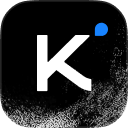

Your coding agent runs the same calls through the CLI
Skip the Pinterest access tiers
Pinterest’s own API starts on Trial access, 1,000 requests a day for your whole app. More means applying for Standard access, then 30-day tokens to refresh and a video upload to poll. OmniSocials already did that work.
On your own
boards:readboards:writepins:read
pins:writeuser_accounts:read
Developer appTrial accessStandard accessToken refreshVideo uploadPollingRetriesFirst postOn OmniSocials
Sign inAPI keyPOSTFirst postOne sign-in grants all 5 scopesEvery Pin, one request
Image Pins, carousels of 2 to 5 images and video Pins share one request shape. Pick the board, add the media, a title, a link and a time. OmniSocials checks the media against Pinterest’s rules before it uploads.
VisitSave
docs.omnisocials.com
OmniSocials SDKs in 8 languages
Post from your own code: SDKs in 8 languages.

OmniSocials
46 followers
POST/v1/posts/create
01{
02 "content": "Post from your own code: SDKs in 8 languages.",
03 "accounts": ["pinterest"],
04 "media_urls": ["https://cdn.example.com/sdks.png"],
05 "schedule_at": "2026-10-22T18:00:00Z",
06 "pinterest": {
07 "board_id": "1051379544199222969",
08 "title": "OmniSocials SDKs in 8 languages",
09 "link": "https://docs.omnisocials.com",
10 "alt_text": "SDK code sample"
11 }
12}
201 Createdstatus: "scheduled"
Image Pins
One image with its own title, link and alt text. A Pin taller than 2:3 is kept as it is, or cropped when you ask for it.
pinterest.titlepinterest.linkmedia_fit
Carousel Pins
2 to 5 images in one Pin, all at one aspect ratio. A slide that doesn’t match answers 400 with mismatched_slides, before anything is sent.
media_urlsmismatched_slides
Video Pins
One MP4 or MOV, with your own cover image or the frame at 1 second. OmniSocials uploads it, waits for Pinterest to process it, then creates the Pin.
pinterest.video_cover
Boards, links and product tags
Every Pin goes to a board you pick from all of the account’s boards, with its own title, link and alt text. The options in the app and the pinterest object in the API set the same fields.
VisitSave
docs.omnisocials.com
OmniSocials SDKs in 8 languages
Post from your own code: SDKs in 8 languages.
OmniSocials
46 followers
Board
PinterestTag your own product Pins so people can shop them from this Pin.
TitleOmniSocials SDKs in 8 languages
Linkhttps://docs.omnisocials.com
Alt textSDK code sample
POST/v1/posts/createapplication/json
01{
02 "content": "Post from your own code: SDKs in 8 languages.",
03 "accounts": ["pinterest"],
04 "media_urls": ["https://cdn.example.com/sdks.png"],
05 "schedule_at": "2026-10-22T18:00:00Z",
06 "pinterest": {
07 "board_id": "1051379544199222969",
08 "title": "OmniSocials SDKs in 8 languages",
09 "link": "https://docs.omnisocials.com",
10 "alt_text": "SDK code sample"
11 }
12}
201 Createdstatus: "scheduled"
Every board
The accounts call lists all of the account’s boards, not only the first page. A Pin needs one, and new boards are made right in the composer.
GET /v1/accountspinterest.board_id
Title, link and alt text
Each Pin gets its own title of up to 100 characters, a destination link and alt text of up to 500. Without alt text, the image’s own is used.
pinterest.titlepinterest.linkpinterest.alt_text
Product tags
Tag up to 24 of your own product Pins. List them through the API or the MCP server; product_tags_result says what Pinterest tagged.
pinterest.product_tags/pinterest/products
The OmniSocials composer with a Pin open and its Pinterest options: the board Changelog, picked from every board of the account, the title, the link and the alt text, each set by the matching field of the pinterest object in the API request.
Connect Pinterest once, post from code
Sign in with Pinterest once inside OmniSocials. Create an API key, and your code lists the boards, publishes Pins and reads what they earn.
OmniSocials
Name, icon, social channels and who can open this workspace.
GeneralMembersClientsApproval workflowsAPI
Workspace iconJPG or PNG, up to 2 MB.
Workspace nameOmniSocials
Social channels
The accounts this workspace posts to.
Connected

@omnisocials_
Instagram

@omnisocials_
Threads

OmniSocials
LinkedIn Page

@omnisocials_
X
Add a channel
PinterestPins & Carousels FacebookPosts, Stories & ReelsLinkedIn ProfilePosts & Carousels
 YouTubeShorts
 TikTokVideos & Photo posts
 BlueskyPosts & Threads
 MastodonAny server
 Google BusinessUpdates, Events & Offers
 TelegramChannels and groups
Coming soon




Danger zone
Delete workspace
Deletes this workspace with its posts, media and settings for good. This cannot be undone.
OmniSocials
Name, icon, social channels and who can open this workspace.
GeneralMembersClientsApproval workflowsAPI
API keys
Keys that can only reach this workspace.
| Name | Key | Last used | |
|---|---|---|---|
Claude | omsk_live_••••7c2e | Oct 20, 2026 |
GET/v1/accounts?platform=pinterest
200 OK88 ms
01{
02 "data": [
03 {
04 "id": "4127_pinterest",
05 "platform": "pinterest",
06 "username": "omnisocials",
07 "display_name": "OmniSocials",
08 "content_types": ["post"],
09 "status": "active",
10 "boards": [
11 { "id": "1051379544199222969", "name": "Changelog" },
12 { "id": "1051379544199223417", "name": "Developers" }
13 ]
14 }
15 ],
16 "workspace_name": "OmniSocials"
17}
Authorization: Bearer $OMNISOCIALS_API_KEY
Pinterest sign-in
Sign in with Pinterest once inside OmniSocials. One account per workspace, and its tokens are refreshed for you.
A key per workspace
A key only reaches its own workspace, so every client or project gets a key of its own.
Every board, listed
The accounts call returns the account with all of its boards, so your code can offer the same board picker.
GET /v1/accountsboards
“The MCP is the real game changer for me. It makes the whole workflow feel much faster and less messy.”

Ansub Khan
Founder of Supafast
Read what Pinterest reports
Impressions, saves, pin clicks and outbound clicks per Pin, with their rates, and views and watch time for video Pins. The API returns the same numbers the app charts.
AnalyticsReports
All
Impressions
7,69025.7%
Engagements
76433.8%
Link clicks
8925.4%
Engagement Rate
9.9%0.6pt
Posts8Accounts8
Post | Channels | Impressions | Likes | Comments | Saves | Link clicks | Eng. rate | |
|---|---|---|---|---|---|---|---|---|
 New in OmniSocials: Notable Days Oct 20, 2026 | | 640 | 3 | 0 | 18 | 7 | 9.2% | |
 New: Alt text on every image Oct 19, 2026 | | 980 | 5 | 1 | 34 | 11 | 10.5% | |
 New: Manage the Social Inbox through the API Oct 19, 2026 | | 1.6K | 9 | 1 | 56 | 24 | 11.1% | |
 New: 1GB video uploads Oct 14, 2026 | | 1.2K | 6 | 0 | 41 | 15 | 10.1% | |
 New: Mastodon threads Oct 8, 2026 | | 720 | 2 | 0 | 19 | 6 | 8.6% | |
 New: Bluesky threads Oct 2, 2026 | | 860 | 4 | 1 | 25 | 9 | 9.7% | |
 Sidebar update Sep 28, 2026 | | 530 | 1 | 0 | 12 | 4 | 7.4% | |
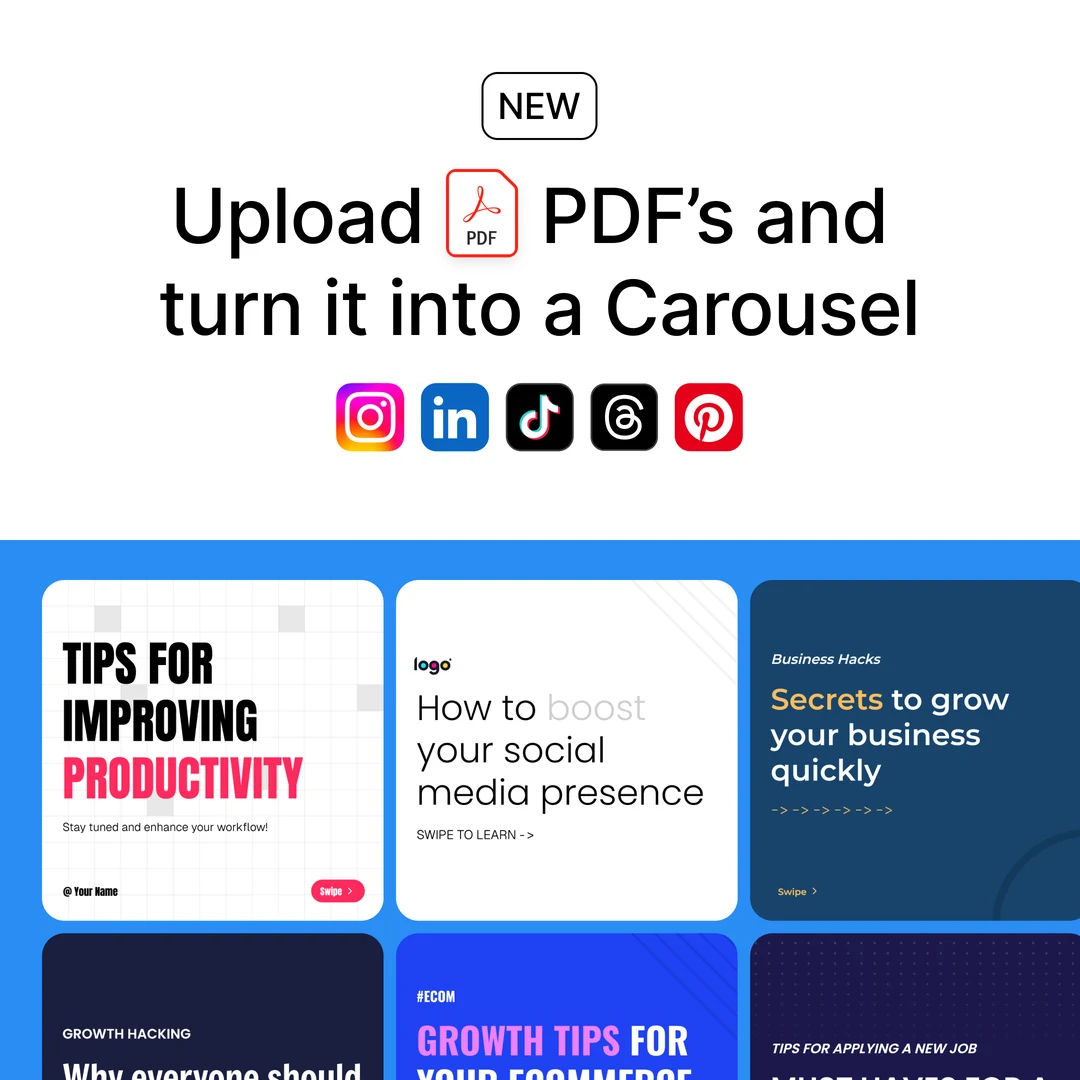 New: PDF uploads Sep 24, 2026 | | 1.1K | 5 | 2 | 37 | 13 | 10.3% |
GET/v1/analytics/posts/1019
Authorization: Bearer $OMNISOCIALS_API_KEY
200 OK143 ms
01{
02 "data": {
03 "post_id": "1019",
04 "platforms": {
05 "pinterest": {
06 "metrics": {
07 "impressions": 1600, "saves": 56,
08 "pin_clicks": 88,
09 "outbound_clicks": 24,
10 "link_clicks": 24,
11 "likes": 9, "comments": 1,
12 "save_rate": 3.5,
13 "pin_click_rate": 5.5,
14 "outbound_click_rate": 1.5,
15 "engagement": 178
16 }
17 }
18 }
19 }
20}
Per Pin
Impressions, saves, pin clicks, outbound clicks, reactions and comments, with their rates. Video Pins add views, starts and watch time.
/analytics/posts/:id
Per account and workspace
A daily snapshot of the account: followers, monthly views, Pins and boards. Plus a workspace overview.
/analytics/accounts/analytics/overview
Best times to post
Days and hours worked out from your own Pins, once 15 of them are analyzed.
/analytics/best-times
Under the hood
Built for production
Signed webhooks, automatic retries, SDKs in 8 languages and a key per workspace. Create a key and send your first request in minutes.


Pinterest’s rules, in one place
OmniSocials checks every Pin against them before it reaches Pinterest, so a bad file fails in your request, not at publish time.
Description800 characters, a Pin needs one
Title100 characters, optional
Alt text500 characters
BoardRequired on every Pin
ImagesJPEG, PNG or WebP, up to 20 MB each
Carousel2 to 5 images at one aspect ratio
VideoMP4 or MOV, 100 MB in media_urls, 1 GB via upload-from-url
Product tagsUp to 24 of your own product Pins
Rate limit100 requests a minute per API key
AccountsOne Pinterest account per workspace
Your first Pin in three steps
About five minutes from sign-up to a scheduled Pin on your board. Then hand the key to your coding agent.
Create an API key
Start your trial, open Settings, API and create a key. It is shown once.
Settings › APIStep 1
Connect Pinterest
Sign in with Pinterest in OmniSocials once. Then list the account and its boards from your code.
GET /v1/accountsStep 2
Send your first Pin
Pass a board_id from the list. Post now with create-and-publish, or add schedule_at to plan it.
POST /v1/posts/createStep 3
Frequently
Asked Questions

Robert LigthartFounder of OmniSocials
Ship your Pinterest
integration this week.
From $10 per seat a month, API included. 14-day free trial.
https://docs.omnisocials.com