
Best Mastodon Scheduling Tools in 2026 (5 Options Compared)
Mastodon has no native scheduling. These 5 tools connect to the Mastodon API and let you schedule posts, cross-post, and track engagement.
 Robert LigthartFounder of OmniSocialsPublished Updated 9 min read
Mastodon now has over 15 million registered users across thousands of instances. The fediverse is growing, and more brands are showing up.
Key takeaways
- Most mainstream schedulers skip Mastodon: Hootsuite and Later don't publish to it, and SocialBee only sends reminders.
- OmniSocials publishes to Mastodon and 12 other platforms for $10 per seat a month billed yearly, but its inbox does not include Mastodon.
- Buffer supports Mastodon on every plan, and its free plan covers 3 channels with 10 scheduled posts per channel.
- Publer supports Mastodon from its free plan, and paid plans start at $4 a month per account billed yearly (prices checked October 18, 2026).
On this page
- Key takeaways
- Quick Comparison
- Does Mastodon Have Built-in Scheduling?
- How to Schedule Mastodon Posts
- 1. Pick a tool with Mastodon API support
- 2. Connect your account
- 3. Write and schedule
- 5 Best Mastodon Scheduling Tools
- #1 - OmniSocials
- #2 - Fedica
- #3 - Buffer
- #4 - Publer
- #5 - Mastodon's Built-in Scheduler
- Mastodon Scheduling Tips
- Respect the fediverse culture
- Use content warnings appropriately
- Cross-post carefully
- Post consistently but not too often
- So, What Is the Best Mastodon Scheduler?
- Frequently Asked Questions
- Can you schedule Mastodon posts?
- Does Mastodon have a native scheduler?
- What is the best free Mastodon scheduler?
- Can I cross-post from Mastodon to other platforms?
- Which scheduling tools work with any Mastodon instance?
But scheduling content for Mastodon isn't as straightforward as other platforms. Most mainstream scheduling tools don't support it: Hootsuite and Later don't publish to Mastodon, Sprout Social doesn't list it, and SocialBee only sends reminders. The ones that do often treat it as an afterthought.
We compared scheduling tools that support Mastodon, using each tool's own pricing page and help docs, checked on October 18, 2026, against the same criteria: Mastodon publishing, price, free plan, cross-posting, inbox and analytics. Five made this list. Here's what each one does, what it costs, and which one fits different use cases.
Quick Comparison
| Tool | Best For | Price | Mastodon Features |
|---|---|---|---|
| Tool: OmniSocials | Best For: Multi-platform users | Price: $10/seat/mo | Mastodon Features: Schedule, cross-post to 13 platforms |
| Tool: Fedica | Best For: Fediverse-first users | Price: Free / paid plans | Mastodon Features: Deep fediverse analytics, scheduling |
| Tool: Buffer | Best For: Simple scheduling | Price: Free / $5/ch/mo | Mastodon Features: Basic scheduling, comment inbox, clean UI |
| Tool: Publer | Best For: Bulk content | Price: $4/account/mo | Mastodon Features: Bulk upload, content recycling |
| Tool: Mastodon (built-in) | Best For: Single posts | Price: Free | Mastodon Features: Basic delayed posting |
(prices checked October 18, 2026, per month billed yearly)
Does Mastodon Have Built-in Scheduling?
Sort of. Mastodon's web interface lets you set a publish date and time when composing a post. Click the clock icon next to the "Publish" button, pick a time, and the post goes out then.
But that's where it ends. There's no content calendar. No queue system. No analytics on how your scheduled posts performed. No way to manage posts across multiple accounts or instances.
For anything beyond "schedule one post at a time," you need a third-party tool.
How to Schedule Mastodon Posts
1. Pick a tool with Mastodon API support
Not every scheduling tool works with Mastodon. You need one that connects through the Mastodon API. OmniSocials, Fedica, and Buffer all do this.
The connection works with any Mastodon instance. It doesn't matter if you're on mastodon.social, fosstodon.org, or a self-hosted server.
2. Connect your account
In your scheduling tool, add Mastodon as a connected account. You'll enter your instance URL (like mastodon.social or techhub.social) and then authorize the tool through Mastodon's standard OAuth flow.
This grants the tool permission to post on your behalf and read your profile. You can revoke access anytime from your Mastodon settings.
3. Write and schedule
Compose your post in the scheduling tool's editor. Mastodon supports up to 500 characters by default (some instances allow more). Add images, set content warnings if needed, and pick your publish time.
Most tools also let you cross-post the same content to other platforms. Write once, publish to Mastodon, Bluesky, Threads, and others simultaneously.
5 Best Mastodon Scheduling Tools
#1 - OmniSocials
OmniSocials gives you Mastodon scheduling as part of a 13-platform package for $10 per seat a month (billed yearly). No per-channel fees.
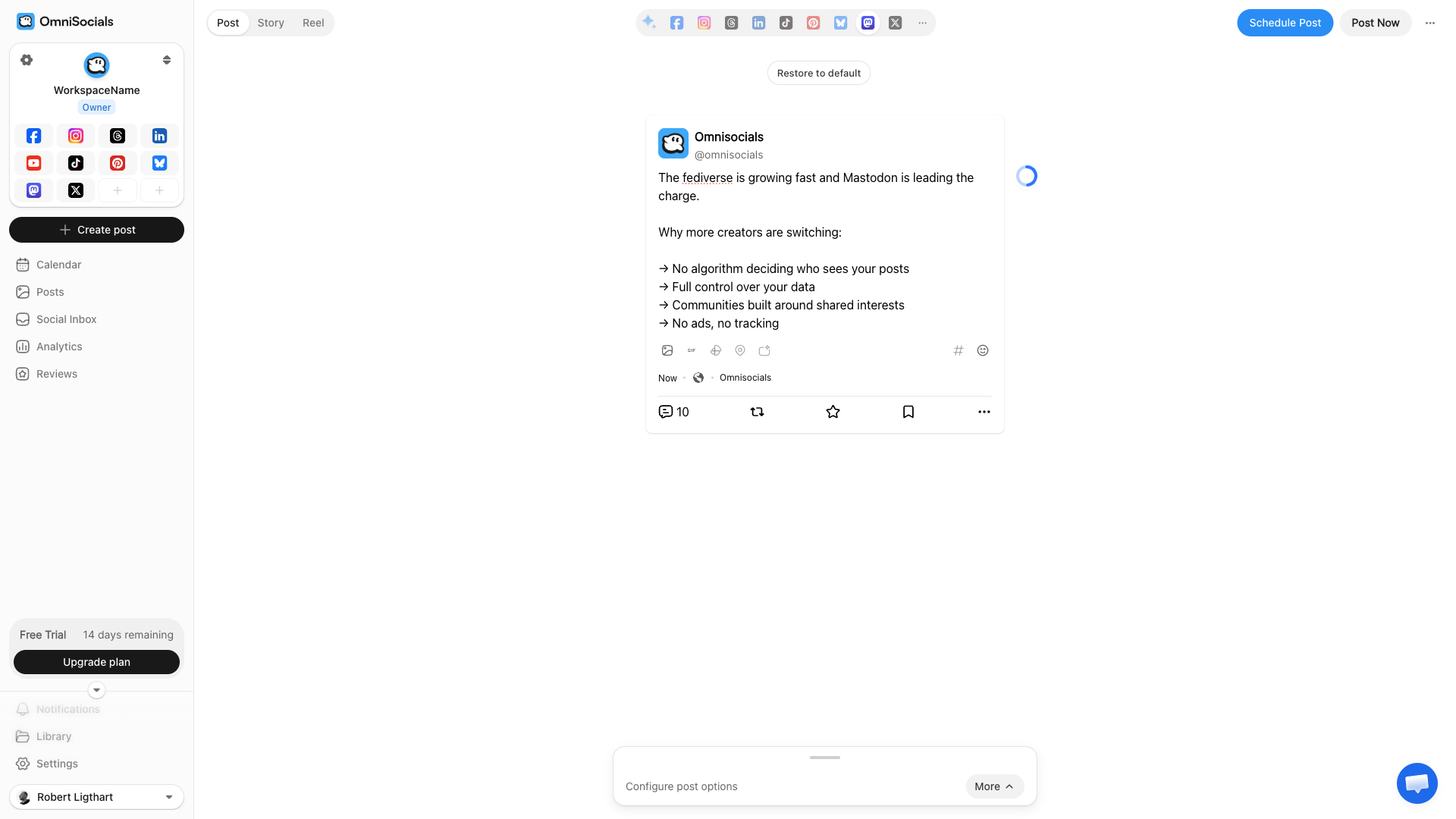
What makes OmniSocials stand out for Mastodon users is the cross-posting. You can write a single post and publish it to Mastodon, Bluesky, Threads, X, LinkedIn, Instagram, and 6 other platforms at once. Or customize each version per platform.
The unified inbox covers 7 platforms (Instagram, Facebook, LinkedIn Pages, TikTok, YouTube, X and Threads), so you can answer Instagram DMs and Threads replies without tab-switching. Mastodon and Bluesky are not in the inbox, so Mastodon mentions stay in the Mastodon app.
Key Features
- 13 platforms including Mastodon, Bluesky, Threads
- Visual editor with per-platform preview and customization
- Unified inbox for 7 platforms (Mastodon not included)
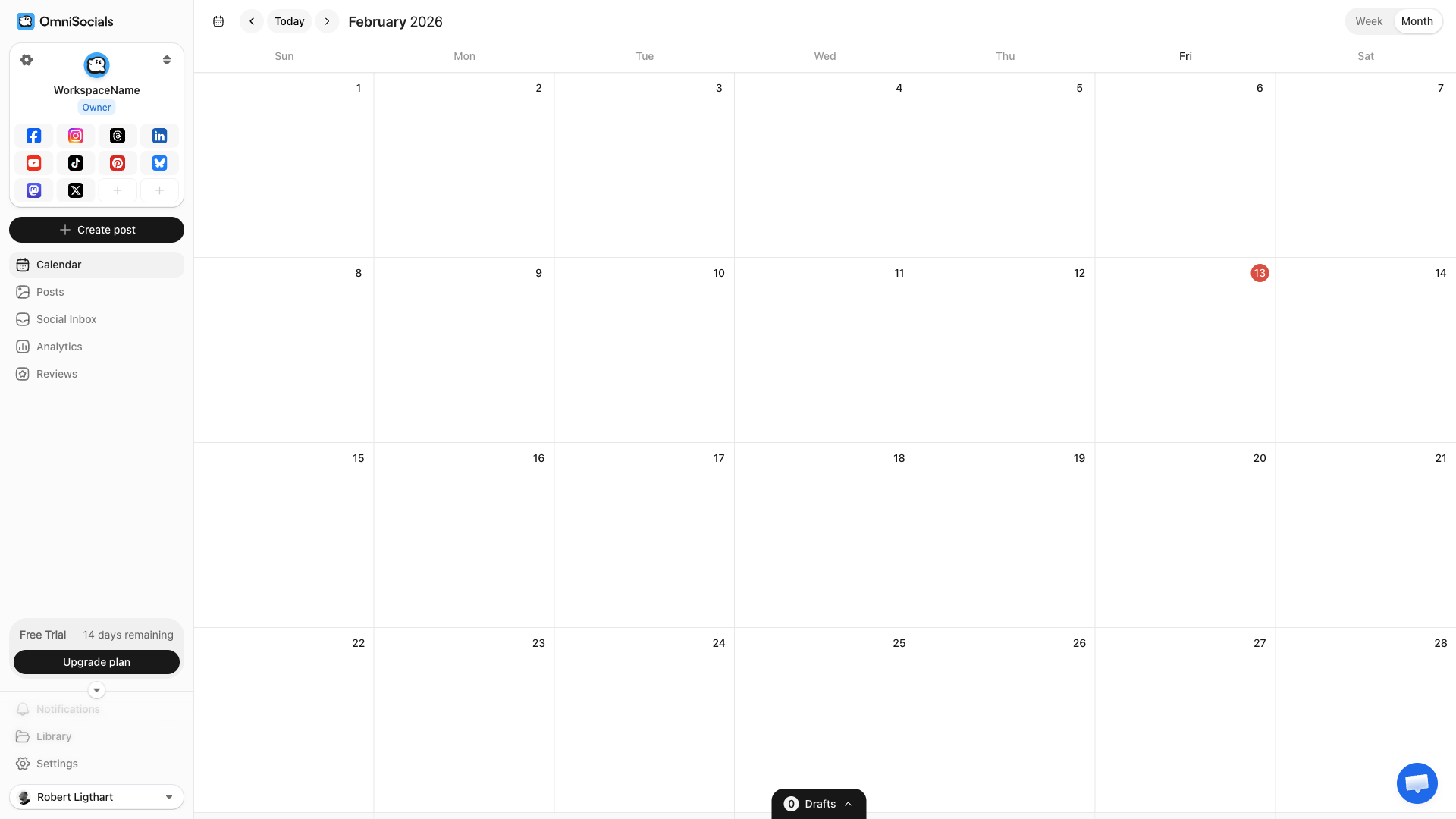
- Calendar view for planning content
- Media library with Pexels and Unsplash built in
Pros
- $10/mo per seat (billed yearly), no matter how many platforms you connect
- Best cross-posting experience for fediverse + mainstream platforms
- Clean, fast interface
- 14-day free trial
Cons
- Newer product, smaller community than established tools
- No Mastodon-specific analytics yet (general post analytics available)
- No Mastodon replies in the inbox
Pricing
$10 per seat a month billed yearly, or $12 billed monthly. A seat is one workspace (one brand) or one extra teammate. 14-day free trial.
#2 - Fedica
Fedica (formerly Tweepsmap) is the most fediverse-focused tool on this list. They've built heavily for decentralized social.
Their free plan includes scheduling for Mastodon, Bluesky, and X. The analytics are where Fedica really stands out. You get follower growth tracking, engagement breakdowns, and best-time-to-post suggestions based on your actual audience data.
For Mastodon specifically, Fedica understands instances. The analytics show which instances your content reaches, not just follower counts.
Key Features
- Fediverse-native analytics with instance-level data
- Free plan with scheduling and basic analytics
- Cross-posting across Mastodon, Bluesky, X, and more
- Follower analysis showing geographic and demographic data
- Best time to post calculated from your audience activity
Pros
- Best free option for Mastodon scheduling
- Deepest fediverse analytics available
- Understands Mastodon-specific concepts (instances, boosts, federation)
- Active development with regular fediverse feature updates
Cons
- UI can feel cluttered with all the analytics options
- Fewer mainstream platforms compared to OmniSocials or Buffer
- Some advanced analytics locked behind paid plans
- Smaller company, less documentation
Pricing
Free plan available. Check Fedica's pricing page for current paid plan rates.
#3 - Buffer
Buffer supports Mastodon on every plan, including Free, for basic scheduling.
The appeal of Buffer for Mastodon is simplicity. The interface is clean, the scheduling workflow is fast, and their free plan gives you 3 channels with 10 posts each. If you just need to schedule a few Mastodon posts per week, Buffer handles it without friction.
That said, Buffer treats Mastodon like any other platform. There are no fediverse-specific features, no instance analytics, and no understanding of boosts or federation. It's a post scheduler plus a community inbox for comment replies (Mastodon included), nothing more.
Key Features
- Clean, simple UI that's fast to learn
- Free plan with 3 channels
- AI assistant for caption ideas
- Start Page link-in-bio builder
- Community inbox for comment replies, including Mastodon, on every plan
- Insights on every plan (30 days on Free)
Pros
- Easiest tool to learn
- Free plan is genuinely useful
- Mastodon publishing on every plan, including Free
- Good mobile app
Cons
- Per-channel pricing gets expensive ($5/channel/mo billed yearly on Essentials)
- No fediverse-specific features or analytics
- Inbox handles comment replies, not DMs
- 10 scheduled posts per channel on the free plan feels tight
Pricing
Free (3 channels, 10 scheduled posts per channel, 1 user). Essentials $5 per channel a month and Team $10 per channel a month, billed yearly. 14-day free trial on paid plans.
#4 - Publer
Publer supports Mastodon and comes with bulk scheduling features that other tools lack at this price point.
You can upload a CSV with dozens of posts and schedule an entire month of Mastodon content in minutes. The content recycling feature automatically re-queues your top-performing posts. Useful if you have evergreen content that works well on repeat.
The interface isn't as polished as Buffer or OmniSocials, but the feature set punches above its price.
Key Features
- Bulk scheduling via CSV or manual batch upload
- Content recycling for evergreen posts
- Auto-scheduling with optimal time suggestions
- Workspaces for multiple brands/clients
- Browser extension for quick sharing
Pros
- Affordable, from $5 a month for one account ($4 billed yearly)
- Bulk scheduling saves significant time
- Content recycling works well for Mastodon
- Free plan available (3 accounts)
Cons
- Interface feels dated
- No fediverse-specific analytics
- No unified inbox (you can reply to Mastodon comments from the calendar)
- Mastodon support is less polished than mainstream platforms
Pricing
Free (3 accounts, no X, 10 scheduled posts per account at a time). Professional from $4/mo billed yearly ($5 monthly) for 1 social account. Business from $8/mo billed yearly ($10 monthly). Each extra account or team member adds to the price.
#5 - Mastodon's Built-in Scheduler
Worth mentioning because it's free and requires no third-party tools.
In the Mastodon web interface, click the calendar/clock icon when composing a post. Set a date and time. Done. The post goes out at that time.
It's basic but functional for individual posts. The limitation is that there's no overview of what you've scheduled, no way to edit scheduled posts easily, and no analytics.
Pros
- Free, no third-party tool needed
- Works on any Mastodon instance
- Simple one-click scheduling
Cons
- No content calendar or queue
- Can't manage multiple scheduled posts easily
- No analytics
- No cross-posting to other platforms
- Only works through the web interface
Pricing
Free (part of Mastodon).
Mastodon Scheduling Tips
Respect the fediverse culture
Mastodon's community values authenticity and hates marketing-speak. Your scheduled posts should sound like a person, not a brand. Ask questions. Share genuine opinions. Engage in conversations.
Automated, corporate-sounding posts will get you unfollowed fast.
Use content warnings appropriately
Mastodon has a content warning (CW) feature that many communities expect you to use for certain topics. If your scheduling tool supports CW fields, use them. If not, add "CW:" at the start of posts covering sensitive topics.
This is a cultural norm on Mastodon, not optional.
Cross-post carefully
You can publish the same post to Mastodon and X at the same time. But Mastodon users actively dislike cross-posted content that's clearly written for Twitter/X. Hashtag spam, thread numbering (1/7), and "RT = retweet" language all signal that you're not paying attention to the platform.
If you cross-post, at least customize the Mastodon version. For a full walkthrough, see the cross-posting guide for Bluesky and Mastodon.
Post consistently but not too often
The fediverse timeline is mostly chronological. 1-2 posts per day is plenty. More than that and you risk flooding local timelines, especially on smaller instances where your posts are more visible.
So, What Is the Best Mastodon Scheduler?
For most users who manage Mastodon alongside other platforms, OmniSocials is the best pick. $10/mo for 13 platforms, clean editor, cross-posting that actually works. If you're on Mastodon, Bluesky, and Threads, it covers all three plus the mainstream networks.
If you're fediverse-first and want the deepest Mastodon-specific analytics, Fedica is the clear winner. Their free plan is generous, and the instance-level data is something no other tool offers.
For pure simplicity, Buffer gets the job done. The free plan works. The interface is the easiest to learn. Just don't expect any fediverse-specific features.
Publer is the budget choice for bulk content. If you have 50 posts to schedule at once, the CSV upload saves real time.
And if you just need to schedule an occasional post with zero setup, Mastodon's own built-in scheduler does the job.
Frequently Asked Questions
Can you schedule Mastodon posts?
Yes. Mastodon has a basic built-in delayed posting feature, but it's limited to individual posts with no calendar view or analytics. For full scheduling with cross-posting and analytics, use a third-party tool like OmniSocials, Fedica, or Buffer.
Does Mastodon have a native scheduler?
Mastodon has a basic "schedule post" option in the web interface. You can set a date and time for a single post. But there's no content calendar, no queue, no analytics, and no cross-posting. For those features you need a third-party tool.
What is the best free Mastodon scheduler?
Fedica offers the best free Mastodon scheduling experience. Their free plan includes scheduling, basic analytics, and fediverse-specific features. Buffer also has a free plan with Mastodon support for up to 3 channels.
Can I cross-post from Mastodon to other platforms?
Yes, with a third-party tool. OmniSocials lets you publish one post to Mastodon, Bluesky, Threads, X, and 8 other platforms simultaneously. Fedica also supports cross-posting across fediverse platforms.
Which scheduling tools work with any Mastodon instance?
OmniSocials, Fedica, and Buffer all connect to any Mastodon instance through the standard Mastodon API. You enter your instance URL during setup and authorize the app. It works with mastodon.social, fosstodon.org, and any other instance.
Try OmniSocials for 14 days
Plan, schedule and answer on 13 platforms from one calendar, or let your AI agent do it. The first charge comes when the trial ends.


