Schedule Social Media Posts Across Time Zones (2026)
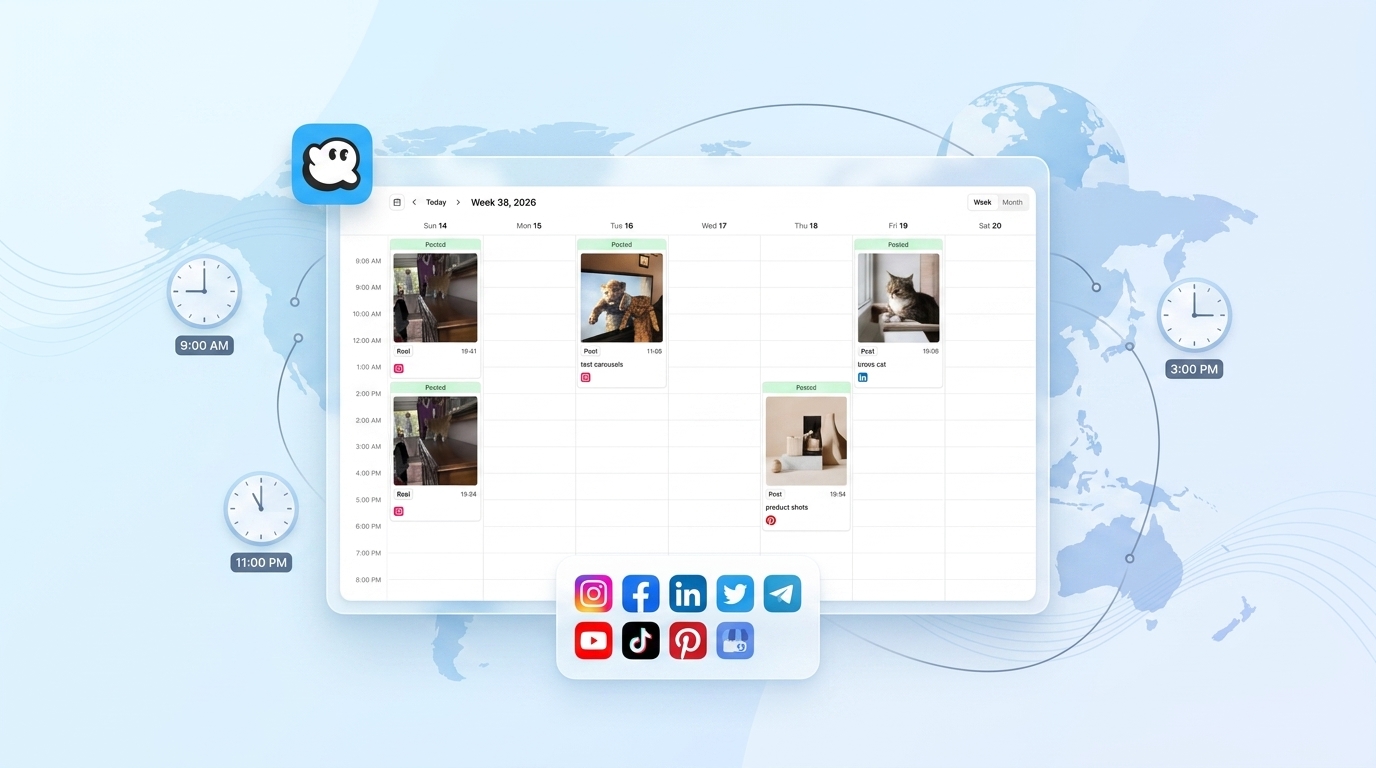
Schedule social media posts across time zones without doing timezone math by hand
If your audience spans more than one region, one scheduled time doesn't work for everyone.
A post that lands at 9am in New York publishes at 2am in Sydney and 6pm in Singapore, if it's still yesterday there.
Scheduling social media posts across time zones means sending each platform a UTC timestamp that corresponds to the correct local time for your audience, not the time zone your laptop happens to be set to. The OmniSocials API handles this with a single field: scheduled_at, in ISO 8601 format, on every post you create.
This guide shows you how to schedule posts so each region gets them at the right local moment, with working code in JavaScript and Python.
Why is it hard to schedule social media posts across time zones?
It's hard because "9am" isn't one time. It's a different UTC moment depending on where your reader is, and most scheduling tools ask you to pick a single publish time per post with no easy way to localize it per region.
On top of that, native platform APIs don't make scheduling simple in the first place. Facebook's Graph API accepts a Unix timestamp for scheduled_publish_time, but Instagram's Content Publishing API has no native scheduling parameter at all. You publish immediately or run your own cron job. X's API has no scheduling endpoint. LinkedIn's Share API doesn't either.
That means a "simple" cross-timezone campaign across four platforms can mean four different auth flows, four different timestamp formats, and at least one platform where you're building your own scheduler from scratch.
How OmniSocials handles scheduling across time zones
OmniSocials wraps all of that into one endpoint: POST /v1/posts. You send one scheduled_at value in UTC, OmniSocials converts and queues it correctly for every connected platform, including the ones with no native scheduling support.
The core idea for multi-region scheduling is simple: schedule the same content multiple times, once per region, each with its own scheduled_at. Each post is independent. You control the exact local time it goes out, per platform, per audience segment.
Here's how to set it up.
Step 1: Get your API key
Generate a key from your OmniSocials dashboard under Settings > API. Every request needs it as a bearer token.
Before scheduling, connect the accounts you'll post to. You can confirm they're linked with a quick check:
const accounts = await fetch('https://api.omnisocials.com/v1/accounts', {
  headers: { 'Authorization': 'Bearer YOUR_API_KEY' },
}).then(r => r.json());

console.log(accounts.data);
// [{ id: "acc_123", platform: "instagram" }, { id: "acc_456", platform: "linkedin" }, ...]
One API key covers every connected account. No separate OAuth handshake per platform.
Step 2: Schedule a post at the right time for each timezone
This is the part that matters most for global teams. Convert your target local time to UTC before you send the request, then fire one request per region.
Say you want a product announcement to land at 9am local time in New York, London, and Sydney. That's three different UTC values on the same calendar day.
JavaScript example, using a timezone library to compute the UTC offset:
import { DateTime } from 'luxon';

const regions = [
  { zone: 'America/New_York', platforms: ['instagram', 'linkedin'] },
  { zone: 'Europe/London', platforms: ['instagram', 'linkedin'] },
  { zone: 'Australia/Sydney', platforms: ['instagram', 'linkedin'] },
];

for (const region of regions) {
  const scheduledAt = DateTime.fromObject(
    { year: 2026, month: 3, day: 15, hour: 9, minute: 0 },
    { zone: region.zone }
  ).toUTC().toISO();

  const response = await fetch('https://api.omnisocials.com/v1/posts', {
    method: 'POST',
    headers: {
      'Authorization': 'Bearer YOUR_API_KEY',
      'Content-Type': 'application/json',
    },
    body: JSON.stringify({
      text: 'Just shipped our new feature! Check it out.',
      media: ['https://yourcdn.com/image.jpg'],
      platforms: region.platforms,
      scheduled_at: scheduledAt,
    }),
  });

  const { data } = await response.json();
  console.log(`${region.zone}: post ${data.id} scheduled for ${scheduledAt}`);
}
Python example, using the standard library's zoneinfo:
import requests
from datetime import datetime
from zoneinfo import ZoneInfo

regions = [
    {"zone": "America/New_York", "platforms": ["instagram", "linkedin"]},
    {"zone": "Europe/London", "platforms": ["instagram", "linkedin"]},
    {"zone": "Australia/Sydney", "platforms": ["instagram", "linkedin"]},
]

for region in regions:
    local_time = datetime(2026, 3, 15, 9, 0, tzinfo=ZoneInfo(region["zone"]))
    scheduled_at = local_time.astimezone(ZoneInfo("UTC")).isoformat()

    response = requests.post(
        "https://api.omnisocials.com/v1/posts",
        headers={"Authorization": "Bearer YOUR_API_KEY"},
        json={
            "text": "Just shipped our new feature!",
            "media": ["https://yourcdn.com/image.jpg"],
            "platforms": region["platforms"],
            "scheduled_at": scheduled_at,
        },
    )
    post = response.json()["data"]
    print(f'{region["zone"]}: post {post["id"]} scheduled for {scheduled_at}')
Each call is its own post, its own scheduled_at, and its own record you can track independently. That's the per-post model: you're not limited to one global send time, you send as many timed variants as you have audience segments.
If you're managing separate regional accounts on the same platform, for example a US Instagram page and a UK Instagram page, connect both in the dashboard and target the correct account per region with the same pattern. Check GET /v1/accounts first to confirm the account IDs you're posting to.
Step 3: Handle the response and confirm the schedule
A successful request returns the post ID and a per-platform status:
{
  "id": "post_abc123",
  "status": "scheduled",
  "platforms": {
    "instagram": "queued",
    "linkedin": "queued"
  }
}
Store the id. You'll want it to check status later or cancel the post if plans change.
Poll GET /v1/posts/:id to confirm each post published at the intended time, or set up a webhook so OmniSocials notifies you the moment a post publishes, fails, or gets flagged by a platform:
const status = await fetch(`https://api.omnisocials.com/v1/posts/post_abc123`, {
  headers: { 'Authorization': 'Bearer YOUR_API_KEY' },
}).then(r => r.json());

console.log(status.data.platforms);
// { instagram: "published", linkedin: "published" }
If a post shows failed for one platform, the response includes a reason (expired token, rejected media, rate limit). You don't have to guess.
Doing it the hard way with native APIs
Here's what the same three-region campaign looks like without a unified API:
| Platform | Native scheduling support | What you'd have to build |
|---|---|---|
| Facebook Pages | Yes, scheduled_publish_time | Convert to Unix timestamp yourself |
| No | Your own queue + cron job triggering publish at the right second | |
| No | Same, plus separate OAuth per organization page | |
| X (Twitter) | No | Same, plus rate-limit handling per app |
That's four different auth flows, four different data formats, and two of the four platforms requiring you to run your own scheduling infrastructure just to hit a specific local time. With OmniSocials, it's one POST /v1/posts call per region, using one API key, with scheduled_at doing the timezone work for every platform at once.
Common pitfalls when scheduling posts for a global audience
Sending local time instead of UTC. The API expects scheduled_at in UTC. If you send 2026-03-15T09:00:00 without converting it first, the post publishes at 9am UTC, not 9am in your target region. Always convert before sending.
Ignoring daylight saving time. A fixed UTC offset breaks twice a year. Use a proper IANA timezone identifier (America/New_York, not EST or UTC-5) and a library that resolves it, since the IANA database tracks over 400 zones and their daylight saving rules automatically.
Assuming one post covers every region. If you send a single request with all platforms and one scheduled_at, every region gets the same UTC moment. For true per-timezone delivery, send one post per region, as shown above.
Forgetting to check platform-level status. A 200 response means OmniSocials accepted the post, not that every platform will publish it successfully. Poll the post or use a webhook to catch per-platform failures.
Hitting the rate limit on bulk sends. The API allows 100 requests per minute per key. If you're scheduling dozens of regional variants at once, batch them with a short delay instead of firing all requests simultaneously.
Full endpoint details, including bulk posting and webhook payloads, are in the OmniSocials API docs.
Frequently Asked Questions
Can I schedule the same post to publish at different local times for different regions?
Yes. Send separate requests to /v1/posts, one per region, each with its own scheduled_at converted to UTC for that region's local time. OmniSocials treats each as an independent post, so you can target the same platforms with as many timed variants as you need.
What time zone format does the OmniSocials API use for scheduled_at?
scheduled_at uses ISO 8601 format in UTC, for example 2026-03-15T09:00:00Z. Convert your target local time to UTC before sending the request. Omitting scheduled_at publishes the post immediately instead.
Does the API handle daylight saving time changes automatically?
The API itself just accepts a UTC timestamp, so DST correctness depends on how you compute it. Use an IANA timezone identifier with a library like Luxon (JavaScript) or zoneinfo (Python) and the conversion accounts for daylight saving automatically.
How do I schedule posts for a global audience without manual timezone math?
Use a timezone-aware library to convert each region's target local time to UTC in code, then loop through your regions sending one /v1/posts request per region. The examples in this guide use Luxon and zoneinfo for exactly this.
Can I schedule posts to multiple accounts at once with different timings?
Yes. List your connected accounts with GET /v1/accounts, then send separate /v1/posts requests targeting each account's platform with its own scheduled_at. This works whether the accounts are on different platforms or regional accounts on the same platform.
Sources
- IANA Time Zone Database — the source-of-truth registry for timezone identifiers and daylight saving rules used by most programming languages
- Meta for Developers: Graph API — reference for Facebook Pages' native
scheduled_publish_timeparameter - Sprout Social: Best Times to Post on Social Media — data on regional engagement windows that inform when to schedule per timezone
- Buffer: Best Time to Post on Social Media — platform-by-platform posting time research
- OmniSocials API Documentation — full reference for
/v1/posts, webhooks, and rate limits